
Copy it. Keep it. Find it.
Your clipboard, always within reach.
Perchboard keeps your copied content close at hand, with a floating desktop panel for revisiting text, links, images, and files without the friction of window switching.
One-time purchase · Windows 10 & 11 · Lifetime license · On a Mac? Join the waitlist
Precision Desktop Ergonomics
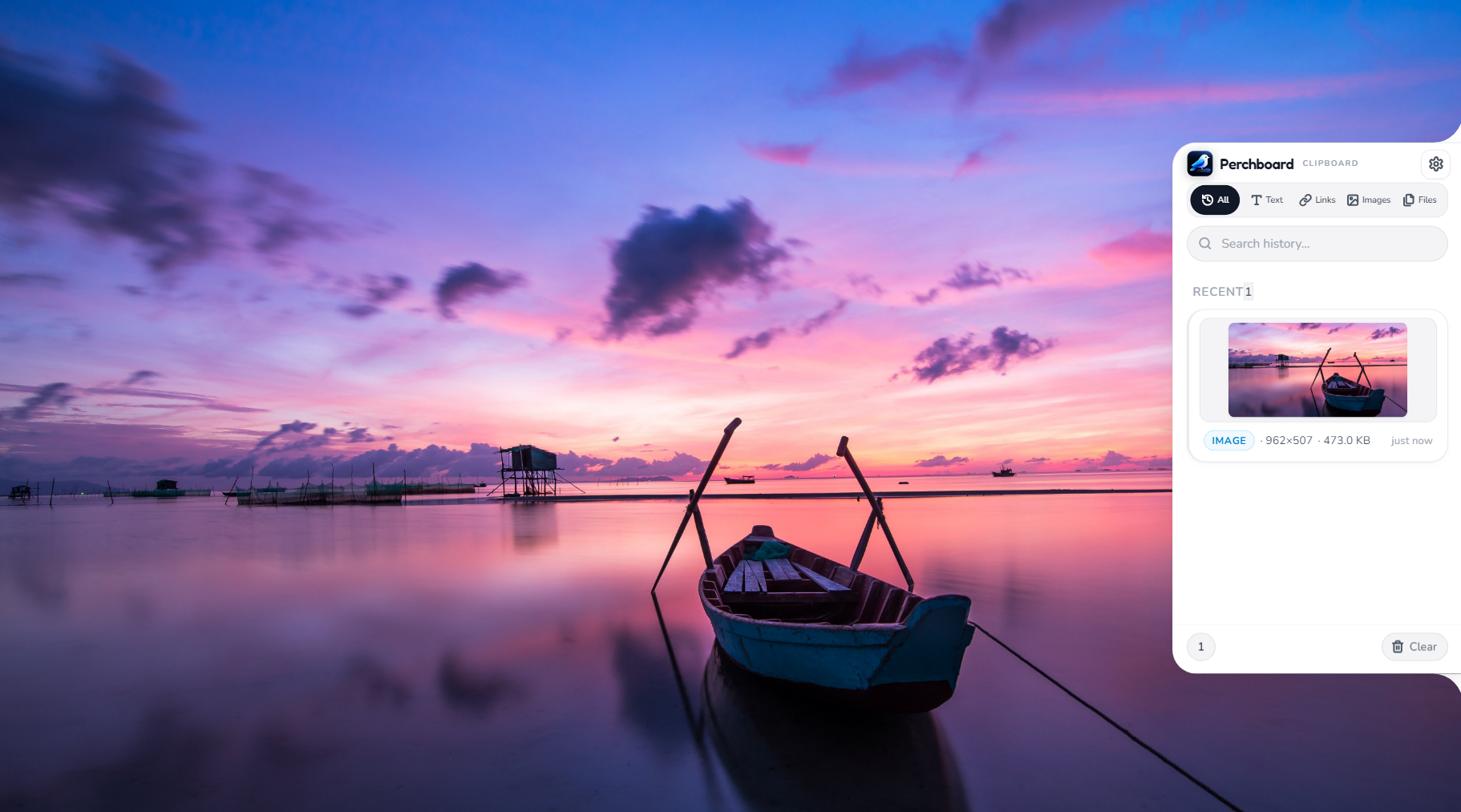
Full Windows 11 capture showing Perchboard floating alongside active workspaces.
Not another window. Just within reach.
Perchboard is designed as an anchored, floating clipboard panel that resides directly on your Windows desktop edge. Rather than burying copied snippets in a full-screen dashboard or separate browser tab, Perchboard slides in smoothly when needed and stays out of your way while you work.
Floats alongside your active applications ~
A little less searching. A lot more finding.
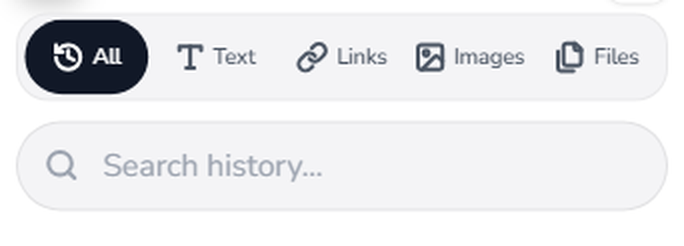
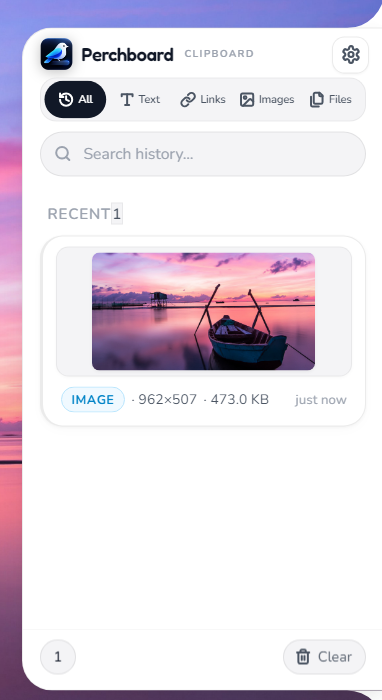
Perchboard automatically segregates your clipboard history into dedicated filters: All, Text, Links, Images, and Files. With a built-in search bar directly at the top of the shelf, locating past URLs, code snippets, or reference visuals takes only milliseconds.
Your copied content, at a glance.
Visual history eliminates the guesswork of raw filenames and ambiguous clipboard text. Perchboard renders clean high-resolution image previews and clear content metadata tags showing item dimensions, file sizes, and elapsed timestamps.

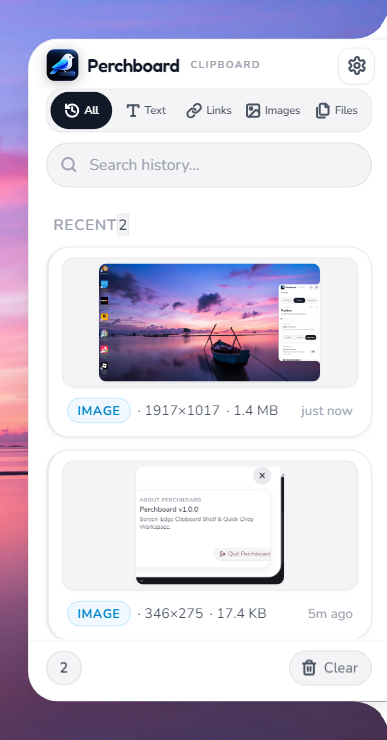
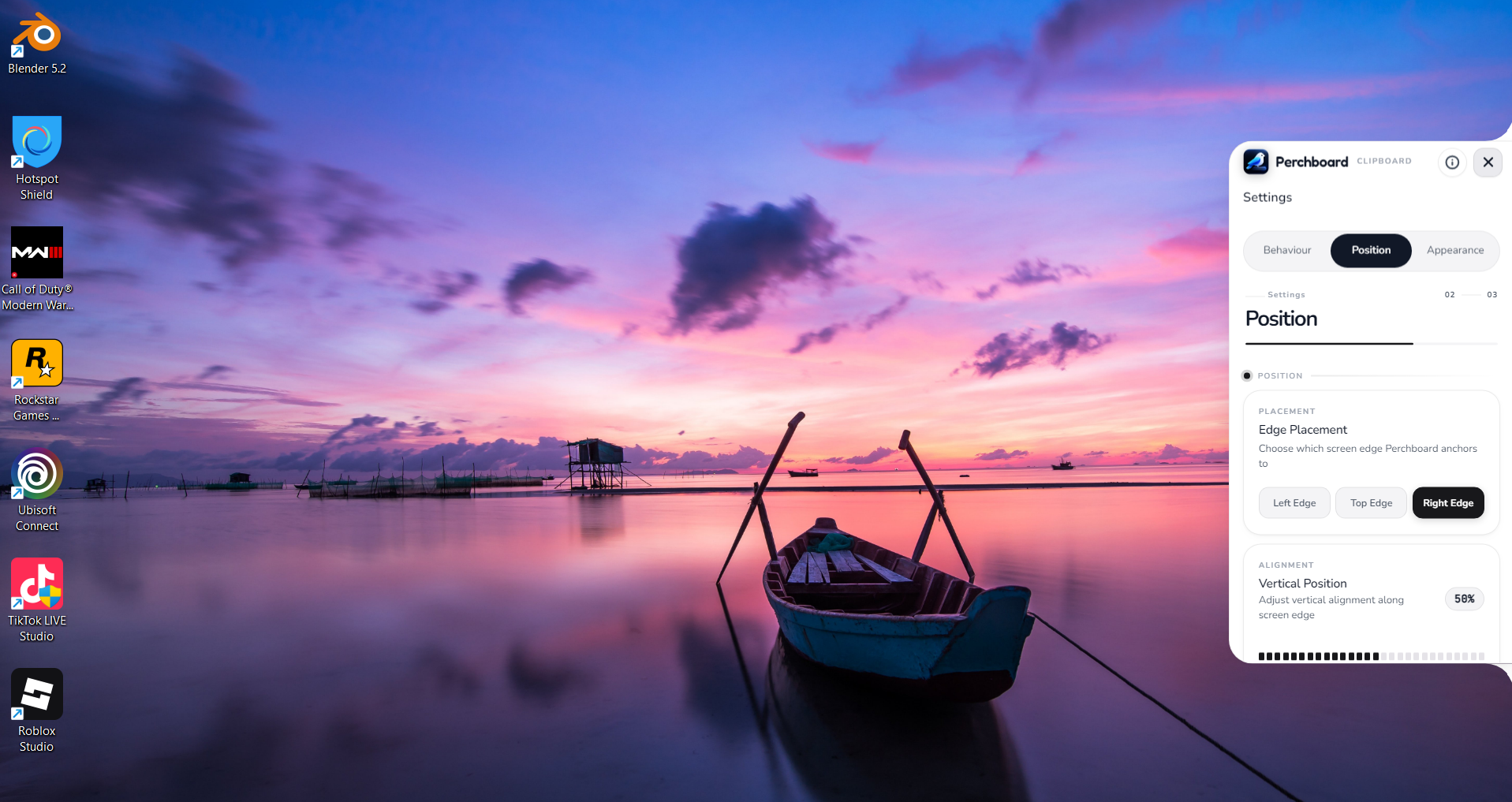
Configure Left, Top, or Right edge docking to suit your monitor setup.
Pick up where you left off.
Perchboard gives your desktop clipboard a persistent spatial memory without introducing background bloat or complex accounts. Everything is retained securely on your local PC, allowing you to quickly paste assets and get straight back to your creative work.
Small on your screen.
Useful all day.
Crafted for software engineers, writers, and designers who value speed and privacy over noisy bloated utilities.
How Perchboard Compares to Standard Windows Clipboard
A side-by-side comparison of ergonomics, filtering capabilities, and privacy architecture.
| Feature / Capability | Perchboard | Default Windows History (Win+V) |
|---|---|---|
| User Interface | Floating Screen-Edge Shelf | Center Popup Modal |
| Supported Formats | Text, Links, Images & Files | Text, HTML & Images |
| Category Filter Tabs | All, Text, Links, Images, Files | None (Unsorted Stream) |
| Screen Edge Customization | Right, Left, or Top Edge + Slider | Fixed Position Only |
| Privacy Architecture | 100% Local-First, Zero Cloud Sync | Microsoft Cloud Sync Optional |
| History Persistence | Preserved with Manual Clear Option | Cleared on Restart (Unless Pinned) |
One idea. More ways to use it.
Built natively for your primary desktop workstation, with mobile companion support in the works.
Windows 10 & 11
Status: Available Now — Instant Download
The flagship Perchboard release. Engineered specifically for 64-bit Windows 10 and Windows 11 with native edge docking, smooth slide animations, and local clipboard caching.
macOS Desktop
Status: In Development · Apple Silicon & Intel Mac
An upcoming desktop release tailored for Mac power users, featuring native Menu Bar docking, keyboard-driven clip search, and frictionless screen-edge clipboard management.
Buy once. Own it forever.
No subscriptions, no annual renewal fees, no seat costs. Get instant access to Perchboard for Windows with every feature and all future 1.x updates included.
The complete desktop utility for power users, developers, and writers. Anchor your clipboard history directly against your screen edge and retrieve any copied text, snippet, image, or file without window switching.
Lifetime perpetual license • Zero recurring fees
Your receipt, download instructions, and lifetime license key will be sent here.
Waiting for macOS? Join the list.
Windows desktop is available today above. If you're using a Mac, enter your email below to reserve early access and get notified the moment our macOS edition is ready.
Perchboard for Windows
See Perchboard in action.
Everything you copy, one keystroke away. Pick a demo and watch it work.
Frequently asked questions
Everything you need to know about buying, installing and using Perchboard.
What is Perchboard? +
Perchboard is a compact Windows desktop utility created by Nadhebe. It keeps your clipboard history accessible from a floating panel anchored to the edge of your desktop screen, avoiding full-screen window clutter while preserving fast access to copied content.
How does the floating clipboard panel work? +
Perchboard anchors a slim, unobtrusive clipboard shelf directly against your chosen screen edge (right edge, left edge, or top). It remains readily accessible while you work across other applications, allowing you to quickly inspect, copy, and reuse recently captured items.
What types of content does it show? +
Perchboard captures and organizes multiple clipboard formats into dedicated filter tabs: All, Text snippets, Links and URLs, Images with high-resolution visual previews, and Files.
How much does Perchboard cost? +
Perchboard for Windows is a one-time purchase: $9.99 at launch (regular price $14.99). There is no subscription. Your lifetime license includes all future 1.x updates.
How do I get my license key and download after paying? +
Right after checkout you are taken to a page showing your license key and a download button, and the same key and download link are emailed to you. Install Perchboard, open Settings → License, paste the key and click Activate. If the email does not arrive, check spam or use "Resend my license" on the order page.
Can I get a refund? +
Yes. If Perchboard is not right for you, ask for a refund within 14 days of purchase and you will get your money back. Payments and refunds are handled by Paddle, our reseller and merchant of record.
Is a macOS version planned? +
Yes. While Windows is the initial launch platform, a macOS version is in planning. You can submit your email on the waitlist to be notified when macOS testing begins.
How do I join the macOS waitlist? +
Windows users can buy Perchboard today. If you are on a Mac, enter your email in the macOS waitlist section on this page and click "Join macOS Waitlist". We will email you once when the macOS edition is ready.
Does Perchboard send my clipboard anywhere? +
No. Your clipboard history is stored only on your PC. Perchboard contacts our server once, when you activate your license key; after that it works fully offline.