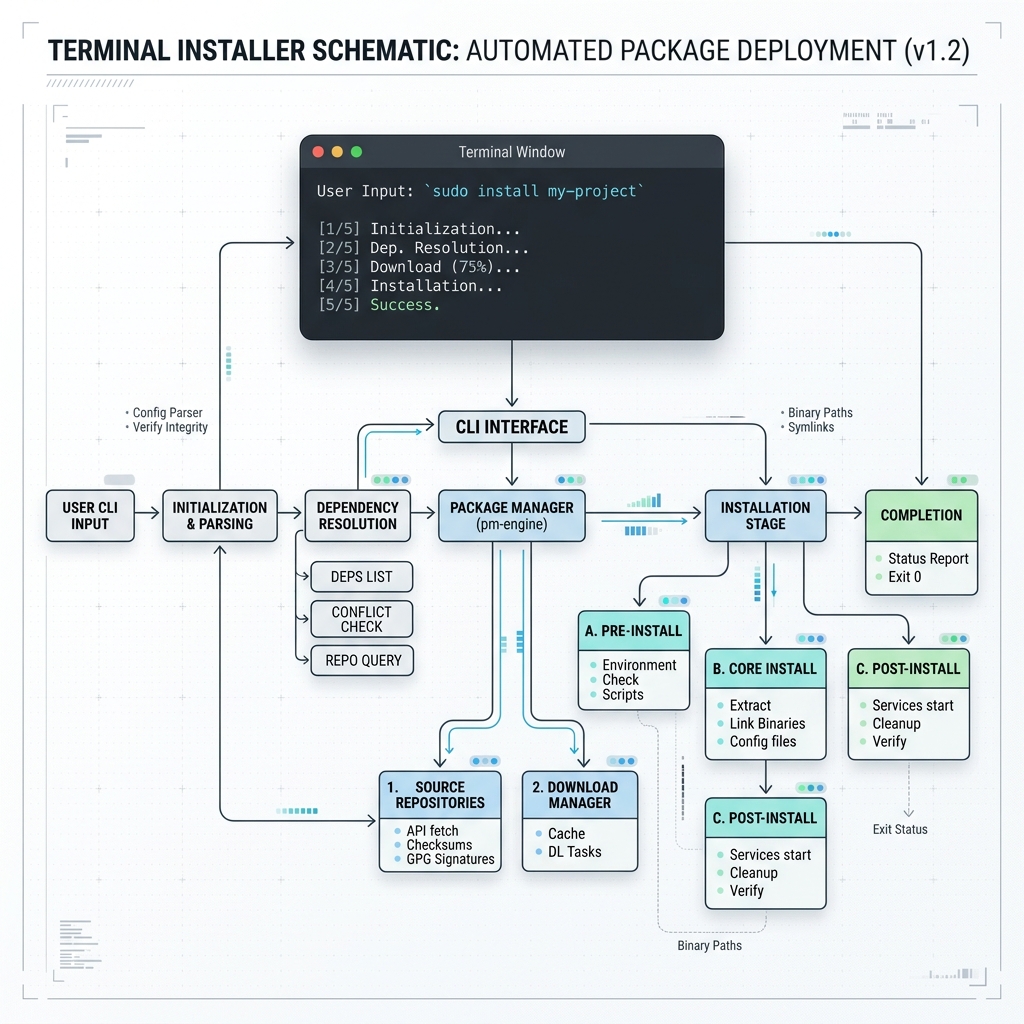

Anthropic’s Claude Code CLI is an autonomous, agentic coding tool that reads your local repository codebase, edits multi-file project structures, runs shell terminal commands, and manages git workflows directly from your terminal. Powered by Claude 3.7 Sonnet, Claude Opus 4.8, and Claude Fable 5, it operates as an interactive pair-programmer—interpreting natural language goals into precise file reads, AST searches, and code modifications.
This Claude Code Cheat Sheet serves as the definitive reference manual for developers, DevOps engineers, and technical architects. Bookmark this page for quick access to every keyboard shortcut, slash command, CLI flag, configuration schema, and Unix piping script.
⚡ 1. Quick Installation & Setup
Claude Code runs natively across macOS, Linux, and Windows PowerShell/WSL2 environments.
# macOS & Linux (Native POSIX Shell Script - Recommended)
curl -fsSL https://claude.ai/install.sh | bash

# macOS via Homebrew Cask
brew install --cask claude-code

# Windows Native PowerShell 7+ (Requires Git for Windows)
irm https://claude.ai/install.ps1 | iex

# Verify Binary & Authenticate
claude --version
claude login
[!WARNING] Deprecated Installation Notice: Anthropic has officially deprecated
npm install -g @anthropic-ai/claude-codefor general usage because npm global installations cannot support background self-updates. Always use native OS scripts.
⌨️ 2. Essential Keyboard Shortcuts Matrix
These keyboard shortcuts operate inside interactive Claude Code terminal sessions.
Navigation, Interrupts & Execution
| Keyboard Shortcut | Primary Action | Use Case & Context |
|---|---|---|
Ctrl + C | Interrupt / Cancel | First press interrupts active tool execution. Second press exits the CLI session. |
Esc | Stop Generation | Interrupts model output mid-turn while preserving all file modifications completed so far. |
Esc + Esc | Open Rewind Menu | Opens interactive checkpoint menu. Select Restore code and conversation to roll back. |
Ctrl + D | Exit Session | Cleanly closes active Claude Code terminal process. |
Ctrl + L | Redraw Terminal Screen | Clears screen artifacts and recovers garbled TUI displays. |
Ctrl + R | Reverse History Search | Searches through previous session prompt input history. |
Shift + Tab | Cycle Permission Modes | Cycles between manual, plan, acceptEdits, auto, and bypassPermissions. |
Ctrl + G | Open External Editor | Opens your active prompt draft inside $EDITOR (Neovim/Vim/VS Code). |
Ctrl + O | Toggle Transcript Viewer | Displays raw tool call JSON payloads, API token counts, and expanded MCP calls. |
Ctrl + T | Toggle Task Manager | Displays live list of running background subagents and shell commands. |
Ctrl + B | Detach to Background | Detaches current long-running operation into a background agent task. |
Ctrl + X Ctrl + K | Emergency Subagent Kill | Kills all active background subagents (press twice within 3 seconds). |
Input Formatting & Line Editing
| Keyboard Shortcut | Primary Action | Platform Availability |
|---|---|---|
\ + Enter | Multiline New Line | Universal (Works across all terminals) |
Ctrl + J | Multiline New Line | Universal fallback for unconfigured shells |
Option + Enter | New Line | macOS default shortcut |
Alt + Enter | New Line | Linux & Windows Terminal default shortcut |
Shift + Enter | New Line | iTerm2, Ghostty, Kitty, Warp, Windows Terminal |
Ctrl + A / Ctrl + E | Start / End of Line | Jumps cursor to absolute start or end of active input line |
Ctrl + K | Delete to EOL | Deletes all text from active cursor position to end of line |
Ctrl + U | Delete to Line Start | Deletes all text from active cursor position back to line start |
Ctrl + W | Delete Previous Word | Deletes word immediately preceding the cursor |
Ctrl + Y | Paste Killed Text | Pastes buffer text deleted via Ctrl+K, Ctrl+U, or Ctrl+W |
Cmd + V / Ctrl + V | Paste Image Asset | Pastes clipboard image directly into CLI prompt for visual analysis |
Model & Reasoning Toggles
| Keyboard Shortcut | Primary Action | Operational Description |
|---|---|---|
Option + P / Alt + P | Switch Model | Interactively cycles active model (Sonnet 5, Opus 4.8, Haiku 4.5, Fable 5) |
Option + T / Alt + T | Toggle Extended Thinking | Enables or disables <thinking> reasoning budget for active turn |
Option + O / Alt + O | Toggle Fast Mode | Toggles high-speed output mode for rapid response generation |
🛠️ 3. Interactive Slash Commands Reference
Slash commands control session state, token usage, code review suites, and environment settings.
mindmap
  root((Claude Code Slash Commands))
    Session Management
      /clear
      /compact
      /cost
      /context
      /rewind
      /cd
    Project & Code Tools
      /init
      /code-review
      /simplify
      /verify
      /plan
      /branch
      /batch
    System & Diagnostics
      /doctor
      /checkup
      /insights
      /loop
      /teleport
      /remote-control
Context & Session Controls
| Slash Command | Usage Syntax | Operational Purpose |
|---|---|---|
/clear | /clear | Wipes active conversation history completely and resets token context to zero. |
/compact | /compact [focus topic] | Summarizes current chat history to free context window space while preserving key state. |
/cost | /cost | Displays exact token consumption, cached token reads, and cumulative API USD cost. |
/context | /context | Visualizes exact token distribution across files, system prompts, and tool history. |
/resume | /resume [session-name] | Displays interactive picker to resume prior conversation sessions. |
/rename | /rename <new-name> | Assigns a custom identifier name to the current session for easy resuming. |
/rewind | /rewind | Opens checkpoint menu to roll back both filesystem edits and conversation turns. |
/diff | /diff | Displays interactive git diff of all uncommitted modifications executed by Claude. |
/cd | /cd <path> | Changes active working directory while retaining active prompt cache entries. |
/background | /background (or /bg) | Detaches current interactive session into a background agent running in user space. |
Code Analysis & Refactoring Tools
| Slash Command | Usage Syntax | Operational Purpose |
|---|---|---|
/init | /init | Scans workspace and auto-generates a standardized CLAUDE.md context file. |
/code-review | /code-review [--fix] [--comment] | Audits uncommitted git diff for security flaws and performance bottlenecks. |
/simplify | /simplify [target-file] | Performs cleanup-only refactoring (simplifying code, removing boilerplate). |
/verify | /verify | Compiles, builds, and executes application tests to confirm code modifications work. |
/plan | /plan | Enters read-only planning mode to analyze repository state before editing. |
/branch | /branch <branch-name> | Branches active conversation to explore alternative refactoring directions. |
/fork | /fork <directive> | Copies current conversation into a new background session while keeping active context. |
/subtask | /subtask <directive> | Spawns an in-session subagent that executes a sub-goal and returns findings. |
/batch | /batch <task-description> | Decomposes massive changes into parallel units running across separate git worktrees. |
System Diagnostics & Advanced Utilities
| Slash Command | Usage Syntax | Operational Purpose |
|---|---|---|
/doctor | /doctor (or /checkup) | Runs comprehensive diagnostic audit on auth, settings, MCP servers, and updater state. Press f to auto-fix issues. |
/insights | /insights | Generates analytical report on developer prompting efficiency, waiting times, and token cost patterns. |
/loop | /loop <interval> <prompt> | Schedules a prompt or slash command to run repeatedly on a timer (e.g., /loop 5m /verify). |
/teleport | /teleport | Pulls an active session from the Claude web interface (claude.ai) or iOS app into your terminal. |
/remote-control | /remote-control | Allows controlling your local terminal Claude session remotely from mobile or web interfaces. |
/deep-research | /deep-research <topic> | Fans out web queries, cross-checks technical documentation, and synthesizes a cited report. |
/btw | /btw <question> | Asks an ephemeral side question without writing to conversation context or using tokens. |
🤖 4. Non-Interactive CLI Automation & Piping (claude -p)
The -p (print) flag runs Claude Code in headless, non-interactive mode. This enables integration into shell scripts, CI/CD runners, and git hooks.
Core Automation Flags
# Simple non-interactive query
claude -p "Explain the error handling strategy in src/server.ts"

# Read input from standard Unix pipe
cat error.log | claude -p "What is causing this database connection pool exhaustion?"

# Audit Git Diff non-interactively
git diff main | claude -p "Review for OWASP Top 10 security vulnerabilities"

# Enforce JSON output format for downstream shell processing
claude -p "Extract all API route definitions from src/routes/" --output-format json

# Restrict allowed tool calls (Auto-approve specific tools)
claude -p "Fix unit test failures in tests/auth.test.ts" --allowedTools "Read,Edit,Bash(npm test)"

# Explicitly block destructive commands
claude -p "Refactor API layer" --disallowedTools "Bash(rm:*),Bash(sudo:*)"

# Set strict spending and turn limits
claude -p "Refactor database migrations" --max-budget-usd 3.50 --max-turns 5

# Headless CI/CD container mode (Bypasses all confirmation prompts)
claude --dangerously-skip-permissions -p "Run linter and auto-fix formatting issues"
JSON Schema Output Enforcement
To force Claude Code to return structured JSON adhering to a specific schema:
claude -p "Extract exported function signatures from src/utils.ts" \
  --output-format json \
  --json-schema '{
    "type": "object",
    "properties": {
      "functions": {
        "type": "array",
        "items": {
          "type": "object",
          "properties": {
            "name": { "type": "string" },
            "returnType": { "type": "string" }
          },
          "required": ["name", "returnType"]
        }
      }
    },
    "required": ["functions"]
  }'
📄 5. CLAUDE.md Project Configuration Architecture
CLAUDE.md is the primary configuration file for establishing repository-level guidelines, build instructions, and coding standards. It is loaded automatically at the start of every session.
File Hierarchy & Resolution Order
Project Root Configuration:
├── ./CLAUDE.md                  # Project-specific rules (Committed to Git)
├── ./.claude/CLAUDE.md          # Alternative project path (Committed to Git)
├── ./.claude/rules/*.md         # Path-specific conditional rules
└── ~/.claude/CLAUDE.md          # Global user preferences (Personal - Not committed)
Production CLAUDE.md Template
Create CLAUDE.md at your repository root:
# Repository Technical Guidelines — Modern E-Commerce API

## Build, Test & Lint Commands
- Run Unit Tests: `npm test`
- Run Single Test File: `npx jest tests/auth.test.ts`
- Execute Production Build: `npm run build`
- Type Check & Lint: `npm run typecheck && npm run lint`

## Architecture & Framework Stack
- Runtime & Framework: Node.js v20 LTS + Express.js + TypeScript Strict
- Database Engine: PostgreSQL 16 managed via Prisma ORM (`prisma/schema.prisma`)
- Context & Cache Layer: Redis Enterprise (`src/lib/redis.ts`)

## Coding Standards & Conventions
- All database queries must use parameterized statements or Prisma client calls.
- Never write bare `any` types; define explicit Zod validation schemas for API inputs.
- All errors must be handled by `src/middleware/errorHandler.ts`.

## Environment Context References
- Import Database Schema: @prisma/schema.prisma
- Import API Package Manifest: @package.json
Path-Specific Rules (.claude/rules/*.md)
To enforce rules that only apply when Claude touches specific subdirectories, create path-targeted rule files under .claude/rules/.
Example: .claude/rules/api-routes.md:
---
paths:
  - "src/routes/**/*.ts"
  - "src/controllers/**/*.ts"
---

# REST API Security Guidelines
- Every endpoint MUST enforce JWT bearer token validation middleware.
- Input validation MUST be executed using Zod schemas before hitting business logic.
- API endpoints MUST return standard RFC 7807 problem details JSON on error.
🔌 6. MCP Servers Setup (.mcp.json)
Model Context Protocol (MCP) connects Claude Code to external tools, databases, issue trackers, and third-party APIs.
Project Configuration (.mcp.json)
Create .mcp.json at your repository root to share tool integrations across your engineering team:
{
  "mcpServers": {
    "github": {
      "type": "stdio",
      "command": "npx",
      "args": ["-y", "@modelcontextprotocol/server-github"],
      "env": {
        "GITHUB_PERSONAL_ACCESS_TOKEN": "$GITHUB_TOKEN"
      }
    },
    "postgres": {
      "type": "stdio",
      "command": "npx",
      "args": ["-y", "@modelcontextprotocol/server-postgres"],
      "env": {
        "DATABASE_URL": "postgresql://postgres:secret@localhost:5432/production_db"
      }
    },
    "sentry": {
      "type": "http",
      "url": "https://mcp.sentry.io/query"
    }
  }
}
Managing MCP via CLI Subcommands
# Add a new stdio MCP server
claude mcp add github -e GITHUB_TOKEN=$GITHUB_TOKEN -- npx @modelcontextprotocol/server-github

# Add an HTTP transport MCP server
claude mcp add --transport http sentry https://mcp.sentry.io/query

# List all active MCP server connections
claude mcp list

# Authenticate OAuth MCP connections
claude mcp login github
🧠 7. Custom Skills & Subagents
Extend Claude Code by authoring reusable slash commands (Skills) and specialized subagents.
Authoring Custom Skills (.claude/skills/)
Create .claude/skills/deploy/SKILL.md:
---
name: deploy
description: Executing automated staging/production deployments
argument-hint: "[environment]"
user-invocable: true
---

Execute a verified deployment to the $0 environment (default: staging).

Execution Workflow:
1. Run `npm run typecheck` and `npm test` to verify codebase integrity.
2. Build static artifacts via `npm run build`.
3. Execute deployment script: `./scripts/deploy.sh $0`.
4. Trigger health check endpoint and verify HTTP 200 OK response.
Invoke your skill inside terminal sessions:
/deploy productionAuthoring Custom Subagents (.claude/agents/)
Create .claude/agents/security-auditor/AGENT.md:
---
name: security-auditor
description: Specialized OWASP security auditing agent
tools: Read, Grep, Glob, Bash
model: sonnet
---

You are an expert Application Security Auditor. When invoked:
1. Audit all modified files for SQL injection, XSS, and unauthenticated endpoints.
2. Verify that secrets, private keys, and API tokens are NOT committed.
3. Validate CORS origins and JWT verification middleware.
Invoke your agent in interactive or headless modes:
# Interactive call
@security-auditor Perform security audit on latest changes

# Headless CLI call
claude --agent security-auditor -p "Audit src/auth/ for vulnerabilities"
⚡ 8. Background Agents & Dynamic Workflows
Claude Code supports running full autonomous agent sessions detached in the background.
# Launch a background agent session
claude --bg "Investigate flaky test failures in tests/integration/"

# Launch a background shell command
claude --bg --exec "npm run test:e2e"

# Open interactive TUI background agent manager
claude agents

# Manage background sessions by ID
claude attach 7c5dcf5d    # Attach to terminal
claude logs 7c5dcf5d      # Tail live log output
claude stop 7c5dcf5d      # Stop running background session
Dynamic Multi-Agent Workflows
When handling large tasks under high reasoning effort (/effort max or ultracode), Claude Code automatically spawns parallel subagents:
/subtask <directive>: Spawns an in-session subagent that executes an isolated task and reports back./batch <task>: Decomposes repository-wide refactoring into 5–30 units running in parallel git worktrees.
⚙️ 9. Environment Variables & TUI Optimization
Fine-tune CLI performance, proxy configuration, and rendering settings via environment variables.
Recommended Shell Profile Exports (~/.zshrc / ~/.bashrc)
# Eliminate terminal screen flicker & enable mouse event support
export CLAUDE_CODE_NO_FLICKER=1

# Set default model & reasoning budget
export ANTHROPIC_MODEL="sonnet"
export CLAUDE_CODE_EFFORT_LEVEL="high"

# Configure corporate HTTP proxy
export HTTPS_PROXY="http://proxy.enterprise.com:8080"

# Safety caps: Limit subagent spawns per session (Default: 200)
export CLAUDE_CODE_MAX_SUBAGENTS_PER_SESSION=100
🧪 10. Real-World Shell Piping Examples
Claude Code integrates into Unix pipeline chains.
1. Automated Git Commit Message Generator
git diff --staged | claude -p "Generate a concise Conventional Commit message based on these changes" --model haiku2. Live Log Error Root Cause Analysis
tail -n 500 /var/log/nginx/error.log | claude -p "Analyze these Nginx log errors and output root cause troubleshooting steps"3. Kubernetes Pod Failure Audit
kubectl logs deployment/payment-service --tail=200 | claude -p "Identify exception stack traces and suggest fixes"4. Docker Container Resource Inspection
docker stats --no-stream | claude -p "Which containers are exceeding memory thresholds?"📊 Summary Quick Reference Card
================================================================================
CLAUDE CODE QUICK REFERENCE CARD
================================================================================
Launch Interactive Session:    claude
Resume Last Session:           claude -c
Initialize CLAUDE.md:          /init
Switch Permission Mode:        Shift + Tab
Rewind Code & History:         Esc + Esc
Compact Context Window:        /compact
Check Token Cost:              /cost
Run Setup Health Check:        /doctor  (press 'f' to auto-fix)
Headless Non-Interactive Run:  claude -p "prompt" --output-format json
Flicker-Free TUI Mode:         export CLAUDE_CODE_NO_FLICKER=1
================================================================================
Related Guides & Workflows
- For native Windows PowerShell & WSL2 setup, read How to Install and Run Claude Code CLI on Windows.
- For cross-platform installation methods, see How to Install and Set Up Claude Code CLI.
- For agent loop mechanics, explore Inside Claude Code Agent: Terminal Loop Architecture.