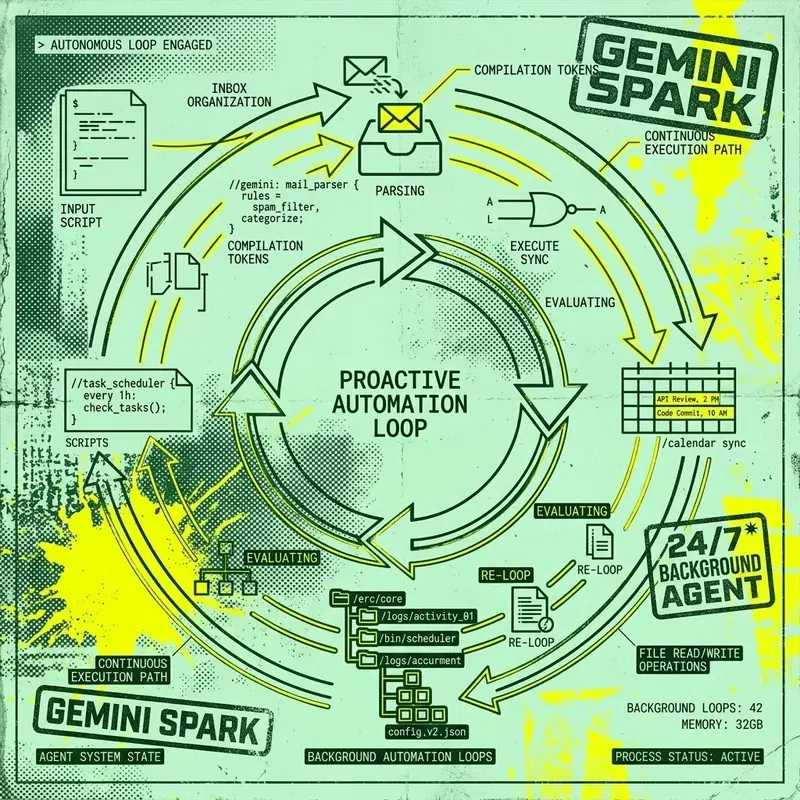
Most AI assistants wait for you to ask them something. Gemini Spark does not wait. It runs continuously in the background, observing your habits, managing your digital workflow, and performing tasks autonomously — all within the boundaries you define.
Launched as part of Google’s broader push into agentic AI, Spark represents a fundamental shift from reactive chatbot to proactive digital agent. It is not a separate app — it is an always-on layer within the Gemini ecosystem that works across Gmail, Calendar, Drive, and Keep.
What Makes Spark Different
The distinction between Spark and standard Gemini is philosophical before it is technical:
| Aspect | Standard Gemini | Gemini Spark |
|---|---|---|
| Interaction | You prompt, it responds | It acts proactively |
| Scheduling | No background operation | Runs 24/7 |
| Learning | Stateless per conversation | Learns your habits over time |
| Task Scope | Single conversation | Multi-day workflows |
| Autonomy | None | Autonomous (with safety rails) |
Think of standard Gemini as a brilliant colleague you call into a meeting. Gemini Spark is a reliable executive assistant who manages your day before you even sit down.
Core Features
1. Intelligent Inbox Management
Spark’s most immediately useful feature is email triage. It continuously monitors your Gmail inbox and performs actions based on your preferences:
What Spark can do with your email:
- Archive newsletters you consistently ignore
- Unsubscribe from mailing lists you never open
- Draft replies matching your writing style and tone
- Summarize long email threads into key action items
- Flag urgent messages that need immediate attention
- Group related conversations into topical clusters
Example: You receive 150 emails overnight. By the time you check your phone, Spark has archived 80 newsletters, drafted 5 replies for your review, summarized 3 long threads, and flagged 2 urgent items at the top.
2. Proactive Daily Briefings
Every morning, Spark generates a personalized daily briefing that organizes your priorities:
Good morning. Here's your day:

📅 3 meetings (first at 10:00 AM — Q3 Planning)
📧 12 new emails requiring attention (2 urgent)
📋 5 tasks due today from your Keep lists
📊 Weekly report reminder — draft is 70% complete
🔔 Sarah's birthday is tomorrow — no gift ordered yet

Shall I draft the Q3 agenda and order flowers for Sarah?
The briefing is not generic — it is tailored based on your actual calendar, email, tasks, and historical behavior patterns.
3. Workflow Automation
Spark can handle recurring multi-step workflows that span multiple Google Workspace apps:
Meeting Preparation:
- Pull relevant documents from Drive
- Summarize the last meeting’s notes
- Draft an agenda based on open action items
- Share the agenda with attendees 30 minutes before the meeting
Weekly Reporting:
- Compile data from shared spreadsheets
- Summarize key metrics and trends
- Draft a report in Google Docs
- Share with your manager for review every Friday
Travel Planning:
- Detect travel-related emails (confirmations, itineraries)
- Add flights and hotel check-ins to your calendar
- Create a travel brief with all logistics in one document
- Set reminders for check-in times and document deadlines
4. Teachable Skills
You can create custom skills — reusable instruction sets that tell Spark how to handle specific situations:
Skill: "Weekly Standup Summary"
Trigger: Every Monday at 9:00 AM
Action:
  1. Review all Slack messages from #engineering channel (last 7 days)
  2. Compile a summary of completed work, blockers, and upcoming goals
  3. Format as bullet points in a Google Doc
  4. Share the doc with my team distribution list
Skills are the key to making Spark truly personal. The more skills you define, the more autonomous work Spark can handle.
Safety and Oversight
Google has designed Spark with explicit safety guardrails to prevent unintended actions:
High-Stakes Action Approval
Spark will always ask for your approval before:
- Sending emails or messages
- Spending money (purchases, subscriptions)
- Sharing documents externally
- Deleting files or data
- Modifying calendar events with external attendees
- Changing account settings
For low-stakes actions (archiving newsletters, organizing files, generating summaries), Spark operates autonomously without interruption.
Activity Log
Every action Spark takes is logged and reviewable:
- Open the Gemini app
- Navigate to Spark Activity
- View a chronological list of all actions taken
- Undo any action with a single tap
Kill Switch
You can instantly disable Spark at any time:
- Say “Pause Spark” to temporarily stop all autonomous actions
- Go to Settings → Gemini Spark → Toggle off
- Spark will confirm deactivation and stop all background processing
Setting Up Gemini Spark
Prerequisites
- Google AI Pro subscription (US) or Google AI Ultra subscription (global)
- Personal Google account (not available for Workspace/school accounts yet)
- “Keep Activity” must be enabled in your Google account settings
- Gemini app (web, mobile, or Mac)
Initial Configuration
- Open the Gemini app
- Look for the Spark icon (lightning bolt) in the sidebar
- Complete the onboarding walkthrough:
- Grant access to Gmail, Calendar, Drive, and Keep
- Set your communication preferences (how often Spark should check in)
- Define your first 2-3 skills
- Spark begins learning your patterns immediately
Optimization Tips
- Start small: Define 2-3 skills and let Spark learn your patterns for a week before adding more
- Review the activity log daily for the first week to ensure Spark’s autonomous actions align with your expectations
- Be specific in skill definitions — vague instructions produce inconsistent results
- Use the feedback mechanism — when Spark does something you don’t like, explicitly tell it why so it adapts
Regional Availability
| Region | Status |
|---|---|
| United States | ✅ Available (AI Pro & Ultra) |
| Global (most countries) | ✅ Available (AI Ultra only) |
| European Economic Area | ❌ Not available |
| Switzerland | ❌ Not available |
| United Kingdom | ❌ Not available |
| Nigeria | ❌ Not available |
The EEA and UK restrictions are likely related to data processing regulations under GDPR and the EU AI Act. Google has not announced a timeline for expansion into these regions.
Comparison: Spark vs Other AI Assistants
| Feature | Gemini Spark | Apple Intelligence | Microsoft Copilot |
|---|---|---|---|
| Proactive operation | ✅ 24/7 background | Limited | Limited |
| Email management | Full triage + drafting | Basic summaries | Summaries only |
| Teachable skills | ✅ Custom workflows | ❌ | ❌ |
| Daily briefings | ✅ Personalized | ❌ | Basic |
| Cross-app workflows | Gmail, Calendar, Drive, Keep | Apple ecosystem | Microsoft 365 |
| High-stakes approval | ✅ Always asks | N/A | N/A |
| Availability | Google AI Pro/Ultra | Apple devices | Microsoft 365 subscribers |
Key Takeaways
- Gemini Spark is a proactive, always-on AI assistant — not a chatbot you prompt
- It manages email triage, daily briefings, and multi-step workflows autonomously
- Teachable skills let you create custom automation workflows across Google Workspace
- Safety rails ensure Spark asks for approval before any high-stakes action (sending emails, spending money)
- Requires Google AI Pro (US) or Google AI Ultra (global) subscription
- Currently unavailable in the EEA, UK, Switzerland, and Nigeria
- Every action is logged and reversible through the activity dashboard