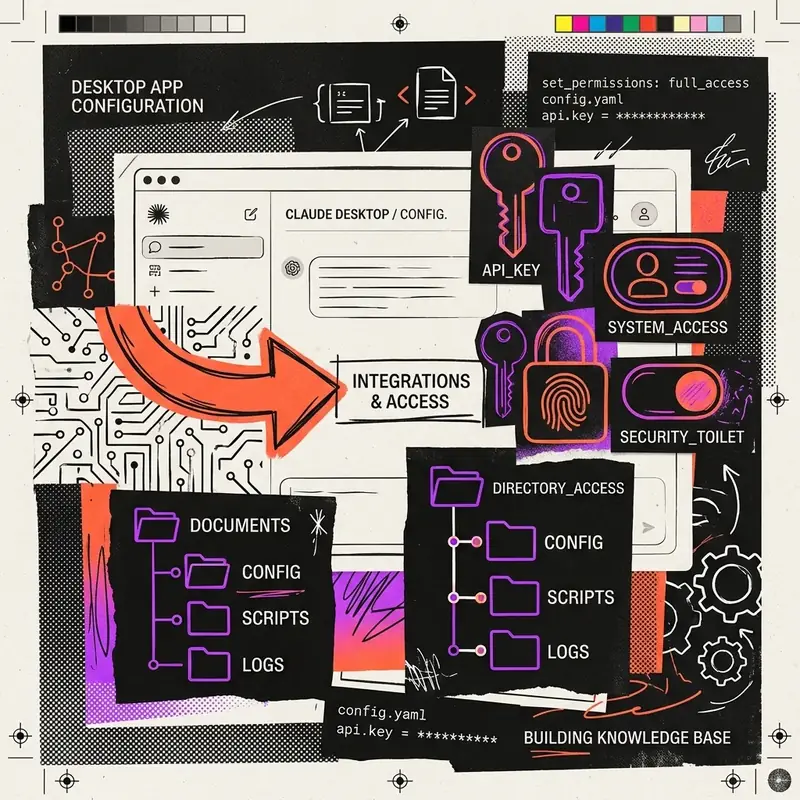
Integrating the Model Context Protocol (MCP) with Claude Desktop is the foundation for building powerful, context-aware AI agents on your local machine. This guide covers everything from the initial JSON configuration to advanced debugging and benchmarking.
[!NOTE] Prerequisites: Before starting, ensure you have read the Claude Desktop Installation Guide, Building a Custom MCP Server, and understand how MCP differs across IDEs like Cursor and VS Code.
1. What is MCP with Claude Desktop?
The Model Context Protocol (MCP) is an open standard introduced by Anthropic that allows AI models to securely interact with local data sources and tools. When paired with Claude Desktop, it transforms the Claude app from a standard chat interface into an autonomous agent capable of reading your local files, querying your databases, and executing shell commands on your behalf.
Instead of copying and pasting code or data into Claude, MCP allows Claude to simply ask your local machine for the data it needs via a standardized JSON-RPC protocol over stdio or HTTP.
2. Why it matters
For AI engineers and developers, integrating MCP with Claude Desktop unlocks massive productivity gains:
- Zero Context Switching: Claude can read your local Git repository without you ever leaving the chat interface.
- Secure by Design: Because the MCP server runs entirely locally, your proprietary data never touches the open internet unless you explicitly allow it. Claude only sees the specific data the server chooses to expose.
- Extensibility: You can write a custom MCP server in Python or TypeScript in under 50 lines of code to expose internal microservices, Jira tickets, or AWS resources directly to Claude.
3. Architecture Diagram
Below is a visualization of how Claude Desktop orchestrates local tools through the MCP architecture:
 A high-level architecture diagram showing the secure
 stdio communication channel between Claude Desktop (the client) and a local Node.js/Python MCP Server.
4. Installation & Setup
To connect an MCP server to Claude Desktop, you must modify the claude_desktop_config.json file.
Step 1: Locate the Configuration File
Depending on your operating system, the configuration file is located at:
- macOS:
~/Library/Application Support/Claude/claude_desktop_config.json - Windows:
%APPDATA%\Claude\claude_desktop_config.json
Step 2: Define your MCP Servers
If the file doesn’t exist, create it. Add your MCP servers under the mcpServers object.
Use our free MCP Server Config Generator to generate this JSON payload instantly without worrying about syntax errors.
5. Code Examples
Here is an example of a properly formatted claude_desktop_config.json that runs three different local MCP servers simultaneously (File System, Postgres Database, and a custom Python API):
{
  "mcpServers": {
    "local_filesystem": {
      "command": "npx",
      "args": [
        "-y",
        "@modelcontextprotocol/server-filesystem",
        "/Users/username/Projects",
        "/Users/username/Documents"
      ]
    },
    "local_postgres": {
      "command": "npx",
      "args": [
        "-y",
        "@modelcontextprotocol/server-postgres",
        "postgresql://localhost/mydb"
      ]
    },
    "custom_python_tools": {
      "command": "/usr/local/bin/python3",
      "args": [
        "-m",
        "my_custom_mcp_server"
      ],
      "env": {
        "API_KEY": "sk-123456789"
      }
    }
  }
}
6. Best Practices
To ensure a stable and highly performant MCP integration:
- Always use absolute paths: Relying on global variables like
~or$HOMEinside the config file will often fail because Claude Desktop runs in an isolated environment without your standard shell profile. - Scope your File System: Never expose
/(the root directory) to the file system MCP server. Only expose specific project folders to minimize security risks. - Environment Variables: Pass API keys and secrets via the
envobject in the configuration rather than hardcoding them into your server logic.
7. Common Errors & Troubleshooting
Error: “MCP Server Disconnected”
Cause: The MCP server process crashed or exited unexpectedly. Fix: Check the Claude Desktop logs. On macOS, you can tail the logs using:
tail -f ~/Library/Logs/Claude/mcp*.logError: “Command not found: npx”
Cause: Claude Desktop cannot find Node.js in its PATH.
Fix: Instead of using "command": "npx", provide the absolute path to your Node installation, such as "command": "/usr/local/bin/npx".
8. Benchmarks & Comparisons
When deciding how to use MCP, developers often compare Claude Desktop to Cursor IDE.
 A decision matrix comparing Claude Desktop’s holistic system access vs Cursor’s code-focused editor access.
- Claude Desktop: Best for high-level system orchestration, database querying, and multi-modal tasks (combining images, docs, and web searches).
- Cursor / VS Code: Best when the primary goal is writing, refactoring, and debugging code directly inside an editor. (See our guide on Cursor MCP Integration).
9. Related Developer Tools
Streamline your workflow with these free, client-side developer utilities:
- MCP Server Config Generator: Visually build and validate your
claude_desktop_config.jsonfile. - JSON Formatter & Validator: Paste your Claude config here to catch missing commas or brackets before launching the app.
- API Payload Builder: Test and structure the JSON payloads your custom MCP servers will send back to Claude.
10. FAQ
How do I restart my MCP servers in Claude Desktop?
Simply restart the Claude Desktop application (Command+Q on Mac). Claude reads the claude_desktop_config.json file on startup and boots the defined servers.
Can Claude Desktop run Docker-based MCP servers?
Yes. You can set the command to docker and use run -i --rm in your args to spin up ephemeral, containerized MCP servers.
11. Further Reading
Continue building your AI engineering expertise with these related topics: