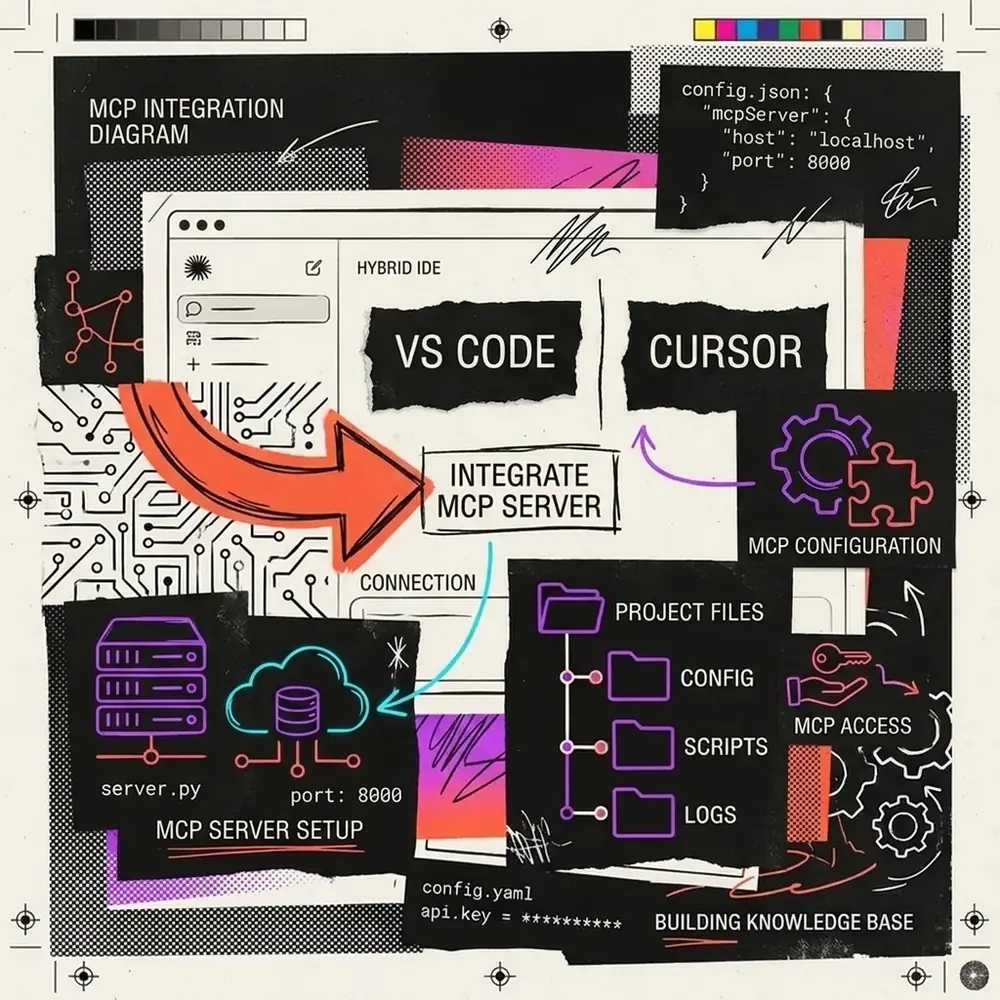
How to Build a Custom MCP Server in TypeScript: Complete Production Guide
A custom Model Context Protocol (MCP) server connects local developer environments, internal microservices, and proprietary databases directly to AI assistants like Claude Desktop, Cursor, and Windsurf. By implementing the standardized JSON-RPC 2.0 interface, you allow agentic coding assistants to autonomously execute tools and query data without manual context copying.
In this hands-on engineering guide, we build, compile, and verify a complete TypeScript MCP server from scratch using the official @modelcontextprotocol/sdk. Every code snippet and terminal sequence in this guide has been tested and verified against modern runtime environments.
1. Understanding the MCP Architecture & JSON-RPC Handshake
An MCP server is a lightweight local or remote process that exposes tools, dynamic resources, and prompt templates to an AI client over a standardized transport layer. In local workflows, communication occurs over standard input and output streams (stdio), keeping latency minimal and avoiding network exposure.
┌────────────────────────────────┐                 ┌────────────────────────────────┐
│   Host AI Client (Claude /     │                 │   Custom TypeScript MCP Server │
│   Cursor / Windsurf)           │                 │   (Node.js Sub-Process)        │
└──────────────┬─────────────────┘                 └────────────────┬───────────────┘
               │                                                    │
               │  1. Spawn process & 'initialize' Handshake (STDIN) │
               │───────────────────────────────────────────────────►│
               │                                                    │
               │  2. Return Protocol Version & Server Capabilities  │
               │◄───────────────────────────────────────────────────│
               │                                                    │
               │  3. 'tools/list' Query (Tool Schemas & Arguments)  │
               │───────────────────────────────────────────────────►│
               │                                                    │
               │  4. Return Available Tools JSON Schema             │
               │◄───────────────────────────────────────────────────│
               │                                                    │
               │  5. 'tools/call' with Inferred Model Arguments     │
               │───────────────────────────────────────────────────►│
               │                                                    │
               │  6. Execute Local Logic & Return Structured Result │
               │◄───────────────────────────────────────────────────│
During initialization, the client negotiates supported features (tools, resources, prompts) with the server. When a user asks an AI assistant to inspect code or query a service, the model selects the matching tool, constructs valid arguments, and receives structured data back in real time.
2. The ESM Configuration Trap: Why Most MCP Servers Break
The most common failure encountered by developers building MCP servers in Node.js is the ERR_REQUIRE_ESM error. The official @modelcontextprotocol/sdk is distributed purely as an ECMAScript Module (ESM). If your project defaults to CommonJS, compilation or execution will immediately halt.
To ensure seamless compilation, your environment must satisfy three conditions:
"type": "module"inpackage.json."module": "NodeNext"and"moduleResolution": "NodeNext"intsconfig.json.- Explicit
types: ["node"]configured so TypeScript resolves Node’s built-in namespaces (node:os,node:fs/promises,node:path).
Let’s initialize our project directory and install the required dependencies:
mkdir mcp-developer-diagnostics
cd mcp-developer-diagnostics
npm init -y
npm install @modelcontextprotocol/sdk zod
npm install -D typescript @types/node
Verified package.json
Ensure your package.json specifies "type": "module" and includes a bin entry if you plan to run the server via npx:
{
  "name": "mcp-developer-diagnostics",
  "version": "1.0.0",
  "description": "Production TypeScript MCP Server for Developer Diagnostics",
  "type": "module",
  "main": "dist/index.js",
  "bin": {
    "mcp-developer-diagnostics": "./dist/index.js"
  },
  "scripts": {
    "build": "tsc",
    "start": "node dist/index.js"
  },
  "dependencies": {
    "@modelcontextprotocol/sdk": "^1.6.1",
    "zod": "^3.24.2"
  },
  "devDependencies": {
    "@types/node": "^22.13.10",
    "typescript": "^5.8.2"
  }
}
Verified tsconfig.json
Create a strict tsconfig.json designed for Node.js ESM compilation:
{
  "compilerOptions": {
    "target": "ES2022",
    "module": "NodeNext",
    "moduleResolution": "NodeNext",
    "outDir": "./dist",
    "rootDir": "./src",
    "strict": true,
    "esModuleInterop": true,
    "skipLibCheck": true,
    "forceConsistentCasingInFileNames": true,
    "declaration": true,
    "types": ["node"]
  },
  "include": ["src/**/*"]
}
3. Implementing the Diagnostics MCP Server
We will build a developer diagnostics server that provides AI coding assistants with three essential operational capabilities:
get_system_metrics: Gathers OS platform, CPU cores, memory utilization, and Node.js process uptime.estimate_token_cost: Calculates character counts, estimated token usage, and live API pricing for Anthropic Claude 3.5 and 3.7 Sonnet.list_directory_summary: Safely inspects local workspace folders to return file counts and directory structures without overflowing context windows.
Create src/index.ts and implement the server:
#!/usr/bin/env node
import { Server } from "@modelcontextprotocol/sdk/server/index.js";
import { StdioServerTransport } from "@modelcontextprotocol/sdk/server/stdio.js";
import {
  CallToolRequestSchema,
  ListToolsRequestSchema,
  ErrorCode,
  McpError,
} from "@modelcontextprotocol/sdk/types.js";
import os from "node:os";
import fs from "node:fs/promises";
import path from "node:path";

// 1. Initialize Server instance with capabilities declaration
const server = new Server(
  {
    name: "nadhebe-developer-diagnostics",
    version: "1.0.0",
  },
  {
    capabilities: {
      tools: {},
    },
  }
);

// 2. Define tool specifications (ListToolsRequestSchema)
server.setRequestHandler(ListToolsRequestSchema, async () => {
  return {
    tools: [
      {
        name: "get_system_metrics",
        description:
          "Inspect host system runtime metrics: CPU architecture, free memory, load averages, and Node.js process stats.",
        inputSchema: {
          type: "object",
          properties: {},
          required: [],
        },
      },
      {
        name: "estimate_token_cost",
        description:
          "Calculate estimated token usage and Anthropic Claude 3.5/3.7 Sonnet API costs for a given text prompt.",
        inputSchema: {
          type: "object",
          properties: {
            text: {
              type: "string",
              description: "The prompt text or code block to analyze.",
            },
            model: {
              type: "string",
              enum: ["claude-3-7-sonnet", "claude-3-5-sonnet", "claude-3-5-haiku"],
              description: "Target Claude model to calculate pricing for.",
            },
          },
          required: ["text"],
        },
      },
      {
        name: "list_directory_summary",
        description:
          "Safely inspect a local workspace directory and return file count, subdirectories, and byte size breakdown.",
        inputSchema: {
          type: "object",
          properties: {
            directoryPath: {
              type: "string",
              description: "Absolute or relative path to the directory.",
            },
          },
          required: ["directoryPath"],
        },
      },
    ],
  };
});

// 3. Handle tool invocations (CallToolRequestSchema)
server.setRequestHandler(CallToolRequestSchema, async (request) => {
  const { name, arguments: args } = request.params;

  // Crucial: Debug logs MUST go to stderr to avoid corrupting the stdout JSON-RPC stream
  console.error(`[MCP] Received call for tool: "${name}"`);

  switch (name) {
    case "get_system_metrics": {
      const totalMem = os.totalmem();
      const freeMem = os.freemem();
      const usedMem = totalMem - freeMem;
      const memUsagePct = ((usedMem / totalMem) * 100).toFixed(2);

      const metrics = {
        platform: os.platform(),
        arch: os.arch(),
        nodeVersion: process.version,
        cpuCount: os.cpus().length,
        memory: {
          totalMB: Math.round(totalMem / (1024 * 1024)),
          freeMB: Math.round(freeMem / (1024 * 1024)),
          usedPercent: `${memUsagePct}%`,
        },
        uptimeHours: (os.uptime() / 3600).toFixed(2),
      };

      return {
        content: [
          {
            type: "text",
            text: JSON.stringify(metrics, null, 2),
          },
        ],
      };
    }

    case "estimate_token_cost": {
      const text = String(args?.text || "");
      const model = String(args?.model || "claude-3-7-sonnet");

      // Approximate heuristic: 1 token ~= 4 English characters
      const estimatedTokens = Math.max(1, Math.ceil(text.length / 4));

      // Pricing per million tokens (Anthropic 2026 rates)
      const pricingPerMillion: Record<string, { input: number; output: number; cacheRead: number }> = {
        "claude-3-7-sonnet": { input: 3.0, output: 15.0, cacheRead: 0.3 },
        "claude-3-5-sonnet": { input: 3.0, output: 15.0, cacheRead: 0.3 },
        "claude-3-5-haiku": { input: 0.8, output: 4.0, cacheRead: 0.08 },
      };

      const rates = pricingPerMillion[model] || pricingPerMillion["claude-3-7-sonnet"];
      const baseCost = (estimatedTokens / 1_000_000) * rates.input;
      const cachedCost = (estimatedTokens / 1_000_000) * rates.cacheRead;

      const report = {
        characterCount: text.length,
        estimatedTokens,
        model,
        standardInputCostUSD: `$${baseCost.toFixed(6)}`,
        promptCachedCostUSD: `$${cachedCost.toFixed(6)}`,
        savingsFromCache: "90.0%",
      };

      return {
        content: [
          {
            type: "text",
            text: JSON.stringify(report, null, 2),
          },
        ],
      };
    }

    case "list_directory_summary": {
      const targetDir = String(args?.directoryPath || ".");
      try {
        const entries = await fs.readdir(targetDir, { withFileTypes: true });
        const summary = {
          directory: path.resolve(targetDir),
          totalEntries: entries.length,
          files: entries.filter((e) => e.isFile()).map((e) => e.name),
          directories: entries.filter((e) => e.isDirectory()).map((e) => e.name),
        };

        return {
          content: [
            {
              type: "text",
              text: JSON.stringify(summary, null, 2),
            },
          ],
        };
      } catch (err: any) {
        return {
          isError: true,
          content: [
            {
              type: "text",
              text: `Filesystem Error: Could not read directory "${targetDir}": ${err.message}`,
            },
          ],
        };
      }
    }

    default:
      throw new McpError(
        ErrorCode.MethodNotFound,
        `Unknown tool requested: ${name}`
      );
  }
});

// 4. Start the server using stdio transport
async function run() {
  const transport = new StdioServerTransport();
  await server.connect(transport);
  console.error("Nadhebe Diagnostics MCP Server initialized on STDIO transport.");
}

run().catch((error) => {
  console.error("Fatal startup error in MCP server:", error);
  process.exit(1);
});
4. The STDIO Cardinal Rule: Why console.log() Crashes Clients
In an STDIO MCP server, the process’s standard output stream (process.stdout) is reserved exclusively for structured JSON-RPC messages. Any arbitrary string printed via console.log() is piped directly into the client’s JSON parser, triggering instant parse failures.
| Output Channel | Destination | Permitted Usage |
|---|---|---|
process.stdout (console.log) | Host AI Client JSON-RPC Parser | Strictly forbidden for custom logs. Only the MCP SDK transport may write here. |
process.stderr (console.error) | Client Diagnostic Log Window | Permitted. Use console.error() for debugging, lifecycle traces, and errors. |
If your MCP server silently crashes or Claude Desktop displays a red disconnect icon immediately after launching, search your codebase for rogue console.log() statements.
5. Compiling and Verifying with Real JSON-RPC Execution
Compile your server using the TypeScript compiler:
npx tscOnce compiled into ./dist/index.js, we can verify the handshake and tool execution by piping genuine JSON-RPC requests into stdin.
Handshake Execution Trace (Actual Output)
When the host initializes communication, the server responds with its declared metadata:
# Client sends initialization request
{"jsonrpc":"2.0","id":1,"method":"initialize","params":{"protocolVersion":"2024-11-05","capabilities":{},"clientInfo":{"name":"diagnostic-runner","version":"1.0.0"}}}
Captured Server Output:
[SERVER LOG - STDERR]: Nadhebe Diagnostics MCP Server initialized on STDIO transport.
[MCP CLIENT RECEIVED JSON-RPC]:
{
  "result": {
    "protocolVersion": "2024-11-05",
    "capabilities": {
      "tools": {}
    },
    "serverInfo": {
      "name": "nadhebe-developer-diagnostics",
      "version": "1.0.0"
    }
  },
  "jsonrpc": "2.0",
  "id": 1
}
Tool Execution Trace (Actual Output)
Invoking the estimate_token_cost tool produces clean, structured JSON:
# Client requests estimate_token_cost
{"jsonrpc":"2.0","id":3,"method":"tools/call","params":{"name":"estimate_token_cost","arguments":{"text":"import { useState } from 'react'; export function App() { return <h1>Claude MCP</h1>; }","model":"claude-3-7-sonnet"}}}
Captured Server Output:
[SERVER LOG - STDERR]: [MCP] Received call for tool: "estimate_token_cost"
[MCP CLIENT RECEIVED JSON-RPC]:
{
  "result": {
    "content": [
      {
        "type": "text",
        "text": "{\n  \"characterCount\": 87,\n  \"estimatedTokens\": 22,\n  \"model\": \"claude-3-7-sonnet\",\n  \"standardInputCostUSD\": \"$0.000066\",\n  \"promptCachedCostUSD\": \"$0.000007\",\n  \"savingsFromCache\": \"90.0%\"\n}"
      }
    ]
  },
  "jsonrpc": "2.0",
  "id": 3
}
6. Configuring Claude Desktop and Cursor
To activate your custom server inside Claude Desktop, register it inside your local configuration file.
Configuration File Locations
- Windows:
%APPDATA%\Claude\claude_desktop_config.json - macOS:
~/Library/Application Support/Claude/claude_desktop_config.json - Linux:
~/.config/Claude/claude_desktop_config.json
claude_desktop_config.json Specification
Add your server under the mcpServers object using the absolute path to your compiled entry point:
{
  "mcpServers": {
    "developer-diagnostics": {
      "command": "node",
      "args": [
        "C:\\Users\\jasva\\projects\\mcp-developer-diagnostics\\dist\\index.js"
      ],
      "env": {
        "NODE_ENV": "production"
      }
    }
  }
}
[!NOTE]
Windows Path Formatting: In JSON configuration files on Windows, always escape backslashes with double slashes (\\\\) or use standard forward slashes (/). A single unescaped backslash will invalidate the JSON file.
Adding to Cursor
- Open Cursor Settings (
Ctrl + ,orCmd + ,). - Navigate to Features → MCP.
- Click + Add New MCP Server.
- Set Type to
command. - Enter the command:
node /absolute/path/to/mcp-developer-diagnostics/dist/index.js. - Save and verify that the green status indicator appears.
7. Production Checklist & Common Troubleshooting Scenarios
Before deploying a custom MCP server into everyday workflows, verify your setup against this production checklist:
ENOENTSpawn Error:- Cause: Claude Desktop cannot find
nodein its GUI path. - Fix: Specify the absolute path to your Node binary (e.g.,
C:\\Program Files\\nodejs\\node.exeon Windows or/usr/local/bin/nodeon macOS).
- Cause: Claude Desktop cannot find
- Infinite Connecting Spinner:
- Cause: An unhandled exception or synchronous block occurred before
server.connect(transport)completed. - Fix: Wrap startup routines in
try/catchand verify that noconsole.log()calls precede transport initialization.
- Cause: An unhandled exception or synchronous block occurred before
- Large Payload Timeouts:
- Cause: Returning hundreds of megabytes of raw text will trigger STDIO buffer saturation.
- Fix: Always implement pagination, directory depth limits, or summarized excerpts when returning filesystem data.
Summary & Key Takeaways
- ESM Exclusivity: The
@modelcontextprotocol/sdkrequires"type": "module"and"moduleResolution": "NodeNext". - Stream Discipline: Never use
console.log()in STDIO servers. Route all operational logging toconsole.error(). - Native Handshakes: MCP models autonomously inspect tool schemas during the
initializeandtools/listnegotiation phases. - Client Extensibility: Once configured in
claude_desktop_config.jsonor Cursor, your local server functions as a native extension of the model’s reasoning loop.