Understanding the Error
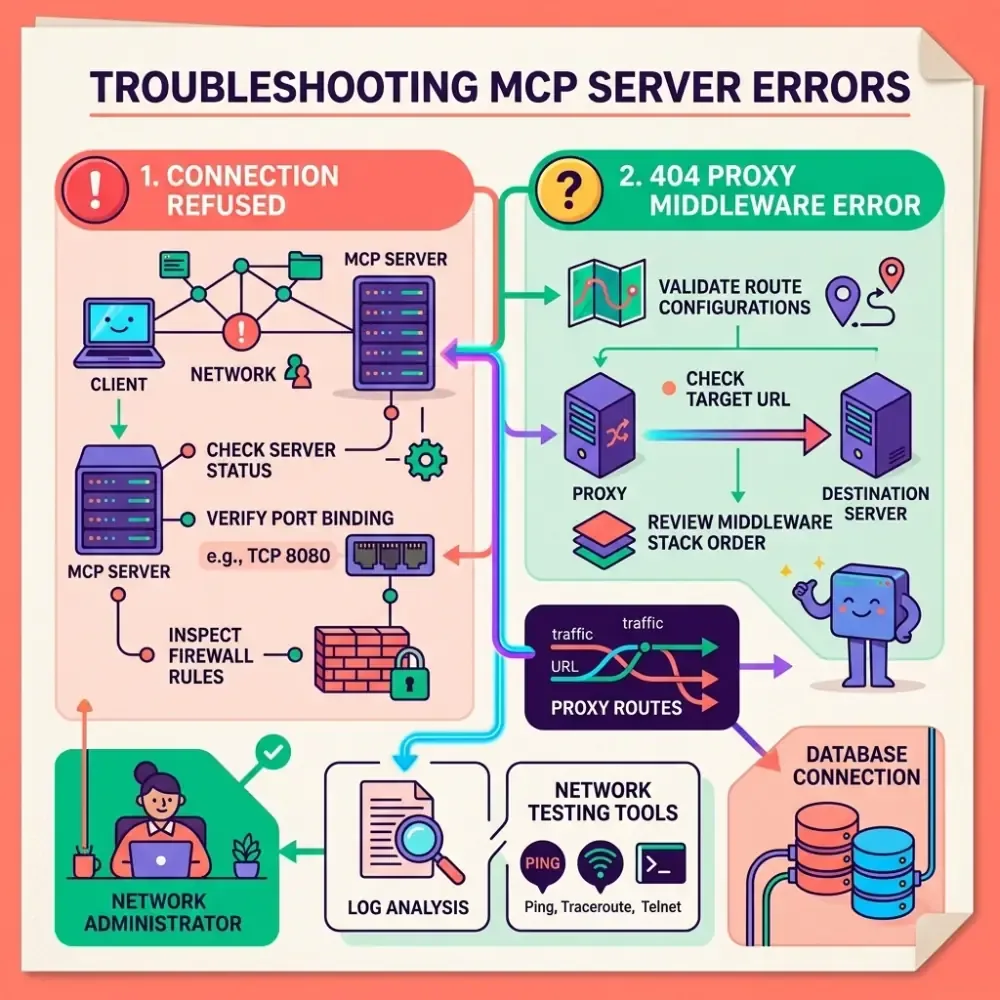
Model Context Protocol (MCP) servers allow AI models to interact with local files, databases, and APIs. When configuring custom MCP servers, developers commonly face two network connection issues:
- ECONNREFUSED (Connection Refused): The client tried to connect to a specific port on
localhostbut no server was listening, or a firewall blocked the request. - HTTP 404 Not Found (Proxy Middleware Errors): The client successfully reached the reverse proxy (like a Hono worker or Express gateway) but requested an unrecognized path prefix.
Common Root Causes
1. Transport Mismatch
MCP supports two primary communication channels:
- STDIO (Standard Input/Output): Best for local command-line tools. The client spawns the server as a child process.
- SSE (Server-Sent Events): Required for network-isolated containers, remote services, or browser environments.
If you specify sse transport in your config, but the server is written to listen to standard process input streams (process.stdin), the client connection will hang or report connection refused.
2. Hostname Resolution (IPv6 vs IPv4)
When a server binds to localhost, Node.js may resolve it to the IPv6 address ::1 or the IPv4 address 127.0.0.1. If your client is explicitly calling 127.0.0.1 but the MCP daemon is listening on ::1, the request will fail.
Step-by-Step Fixes
Step 1: Check Config JSON Syntax
Always confirm your config.json doesn’t have syntax issues. A single trailing comma can cause client startup failures.
{
  "mcpServers": {
    "local-postgres": {
      "command": "npx",
      "args": ["-y", "@modelcontextprotocol/server-postgres", "--connection-string", "postgresql://localhost/mydb"]
    }
  }
}
Validate your file using our offline JSON Validator to locate hidden formatting issues.
Step 2: Bind to Explicit IP
Instead of using localhost, bind your Node.js or Python server script to an explicit IPv4 address:
// Express/Hono example
app.listen(3000, '127.0.0.1', () => {
  console.log('MCP Server running on http://127.0.0.1:3000');
});
And update your client setup to point to http://127.0.0.1:3000 rather than http://localhost:3000.
Step 3: Verify the Path Prefix
If you see a 404 Not Found proxy middleware error, check that the /mcp route is correctly mapped:
// Ensure you have mapped the transport endpoints
app.post('/mcp', (req, res) => {
  // MCP connection entrypoint
});