Securing Remote Model Context Protocol (MCP) Infrastructures with Auth0 and Cloudflare Wrangler
Exposing unauthenticated remote Model Context Protocol (MCP) servers over public HTTP endpoints introduces major security risks—including unauthorized tool execution, data extraction, and server-side prompt injection attacks.
Security teams require robust authorization patterns to protect remote agent infrastructure. This guide provides a security blueprint for implementing OAuth2 access token validation, handling refresh token rotations inside Cloudflare KV stores, and managing Wrangler CLI secrets.
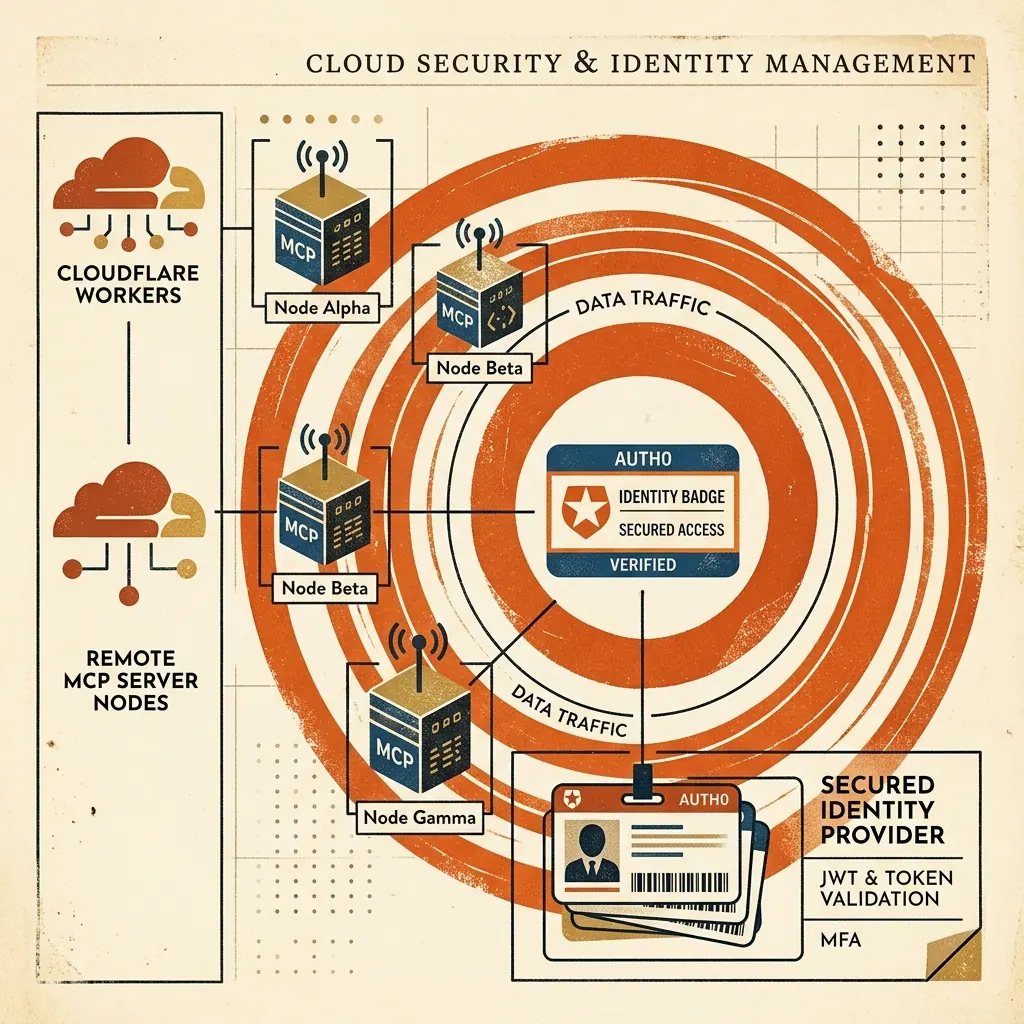
Remote MCP Security Architecture
 ┌────────────────────────────────────────────────────────────────────────┐
 │                    SECURED REMOTE MCP GATEWAY FLOW                     │
 └───────────────────────────────────┬────────────────────────────────────┘
                                     │
           ┌─────────────────────────┴─────────────────────────┐
           ▼                                                   ▼
┌──────────────────────────────┐                    ┌──────────────────────────────┐
│  AI CLIENT REQUEST (/mcp)    │                    │     AUTH0 IDENTITY ISSUER    │
├──────────────────────────────┤                    ├──────────────────────────────┤
│ • Header: `Bearer <token>`   │ ──[Validate JWKS]─►│ • Validates JWT Audience     │
│ • Tool: `execute_query`      │                    │ • Checks Expiration & Scope  │
└──────────────┬───────────────┘                    └──────────────┬───────────────┘
               │                                                   │
               ▼                                                   ▼
┌──────────────────────────────────────────────────────────────────────────┐
│                   CLOUDFLARE WORKER WRANGLER SECRETS                     │
├──────────────────────────────────────────────────────────────────────────┤
│ • Enforces `wrangler secret put AUTH0_CLIENT_SECRET`                     │
│ • Validates token signature at edge with zero latency                    │
└──────────────────────────────────────────────────────────────────────────┘
1. Storing Encrypted Secrets via Wrangler CLI
Never hardcode Auth0 secrets or API keys in repository source code or wrangler.toml. Inject them securely using wrangler secret put:
# Upload Auth0 Domain and Client Secrets to Cloudflare Worker Environment
$ npx wrangler secret put AUTH0_DOMAIN
$ npx wrangler secret put AUTH0_CLIENT_SECRET
$ npx wrangler secret put ENCRYPTION_KEY
2. JWT Verification Middleware at the Edge
Validate incoming JWT access tokens before passing requests to your stateless createMcpHandler:
import { jwtVerify, createRemoteJWKSet } from "jose";

export async function validateMcpBearerToken(request: Request, env: Env): Promise<boolean> {
  const authHeader = request.headers.get("Authorization");
  if (!authHeader || !authHeader.startsWith("Bearer ")) return false;

  const token = authHeader.split(" ")[1];
  const JWKS = createRemoteJWKSet(new URL(`https://${env.AUTH0_DOMAIN}/.well-known/jwks.json`));

  try {
    const { payload } = await jwtVerify(token, JWKS, {
      issuer: `https://${env.AUTH0_DOMAIN}/`,
      audience: env.AUTH0_AUDIENCE
    });
    return !!payload.sub;
  } catch (err) {
    console.error("JWT Verification Failed:", err);
    return false;
  }
}
Security Audit Checklist
- All HTTP
/mcpendpoints require valid Bearer token authentication. - Cloudflare Wrangler secrets (
wrangler secret put) are used for client keys. - CORS headers restrict allowed origins to approved client domains.
- Tool execution errors are sanitized to prevent sensitive stack trace leaks.