Building and Deploying Remote MCP Servers on Cloudflare Workers with Auth0 OAuth
The Model Context Protocol (MCP) ecosystem is undergoing a major architectural transition away from local desktop-bound standard input/output (stdio) processes toward cloud-hosted remote streamable HTTP endpoints.
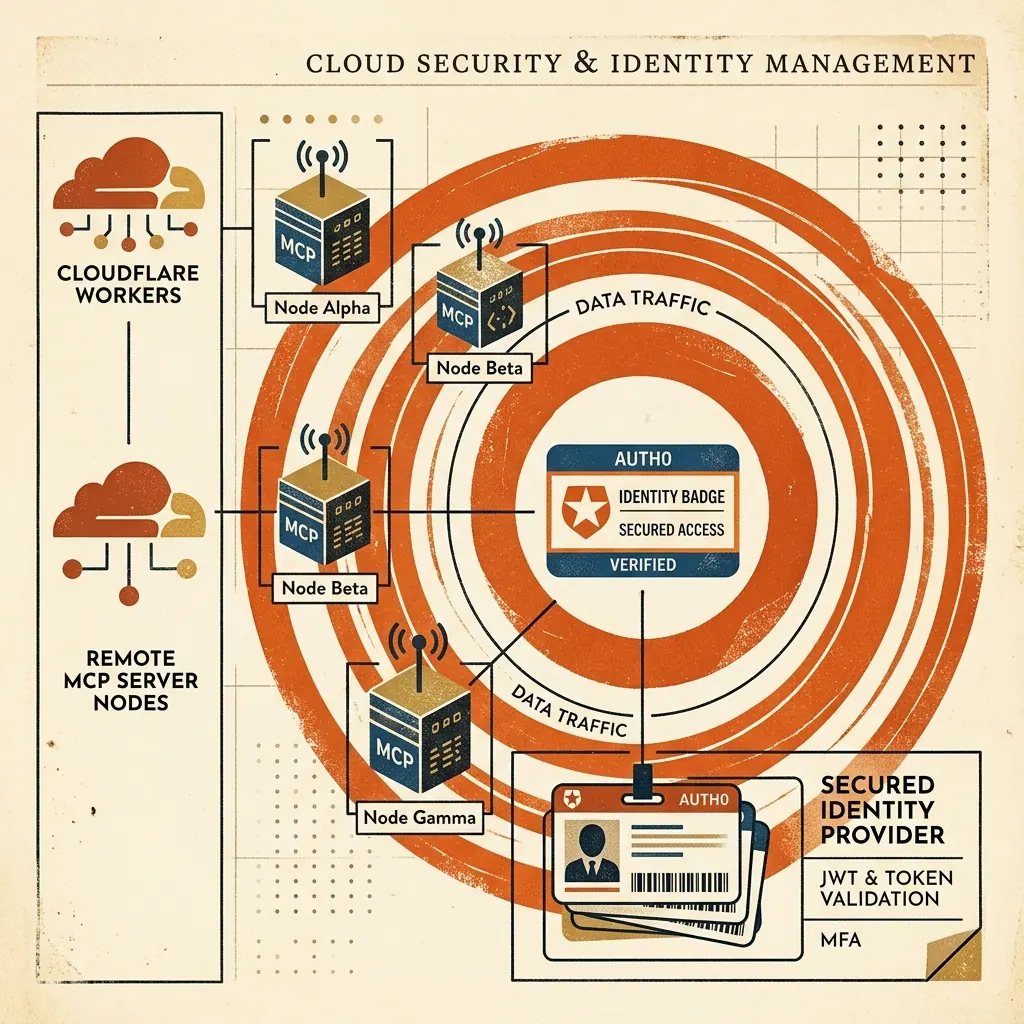
Deploying remote MCP servers on Cloudflare Workers using the MCP SDK v2 createMcpHandler enables edge-deployed, stateless tools accessible by AI agents globally, while integrating Auth0 OAuth2 identity guarantees enterprise security.
Architectural Evolution: Local Stdio vs Remote HTTP
       LOCAL STDIO MCP ARCHITECTURE                REMOTE STREAMABLE HTTP ARCHITECTURE
 ┌──────────────────────────────────────┐     ┌──────────────────────────────────────┐
 │ Desktop AI Client (Claude / Cursor)  │     │ Desktop / Cloud AI Agent Client      │
 └──────────────────┬───────────────────┘     └──────────────────┬───────────────────┘
                    │ (stdin/stdout)                             │ (HTTPS Streamable)
                    ▼                                            ▼
 ┌──────────────────────────────────────┐     ┌──────────────────────────────────────┐
 │ Local Node/Python Subprocess         │     │ Cloudflare Edge Worker (/mcp)        │
 └──────────────────────────────────────┘     └──────────────────┬───────────────────┘
                                                                 │ (OAuth Bearer Validation)
                                                                 ▼
                                              ┌──────────────────────────────────────┐
                                              │ Auth0 Identity & KV State Binding    │
                                              └──────────────────────────────────────┘
Cloudflare Worker Implementation: createMcpHandler
Here is a production-grade TypeScript implementation for Cloudflare Workers deploying a remote MCP server with Auth0 token validation:
import { createMcpHandler } from "@modelcontextprotocol/sdk/v2/server";
import { z } from "zod";

export interface Env {
  AUTH0_DOMAIN: string;
  AUTH0_AUDIENCE: string;
  OAUTH_KV: KVNamespace;
}

export default {
  async fetch(request: Request, env: Env, ctx: ExecutionContext): Promise<Response> {
    const url = new URL(request.url);

    // Endpoint for Remote MCP Requests
    if (url.pathname === "/mcp") {
      // Validate Auth0 Bearer Token
      const authHeader = request.headers.get("Authorization");
      if (!authHeader || !authHeader.startsWith("Bearer ")) {
        return new Response(JSON.stringify({ error: "Unauthorized: Missing Bearer Token" }), {
          status: 401,
          headers: { "Content-Type": "application/json" }
        });
      }

      // Initialize Stateless Streamable MCP Handler
      const handler = createMcpHandler({
        name: "cloud-mcp-server",
        version: "2.0.0",
        tools: [
          {
            name: "query_edge_database",
            description: "Query edge KV dataset with authenticated access",
            parameters: z.object({
              key: z.string().describe("Target database key to fetch")
            }),
            execute: async ({ key }) => {
              const value = await env.OAUTH_KV.get(key);
              return { result: value || "Key not found" };
            }
          }
        ]
      });

      return handler(request);
    }

    return new Response("Nadhebe Remote MCP Gateway Operational", { status: 200 });
  }
};
IDE Integration for Remote MCP Endpoints
To connect Cursor, Claude Desktop, or Windsurf to your remote Cloudflare Workers MCP server, configure your configuration JSON file (claude_desktop_config.json or .cursor/mcp.json):
{
  "mcpServers": {
    "cloudflare-remote-mcp": {
      "url": "https://nadhebe-mcp.workers.dev/mcp",
      "headers": {
        "Authorization": "Bearer YOUR_AUTH0_ACCESS_TOKEN"
      }
    }
  }
}