Open Graph vs Twitter Card Meta Tags: Technical Comparison
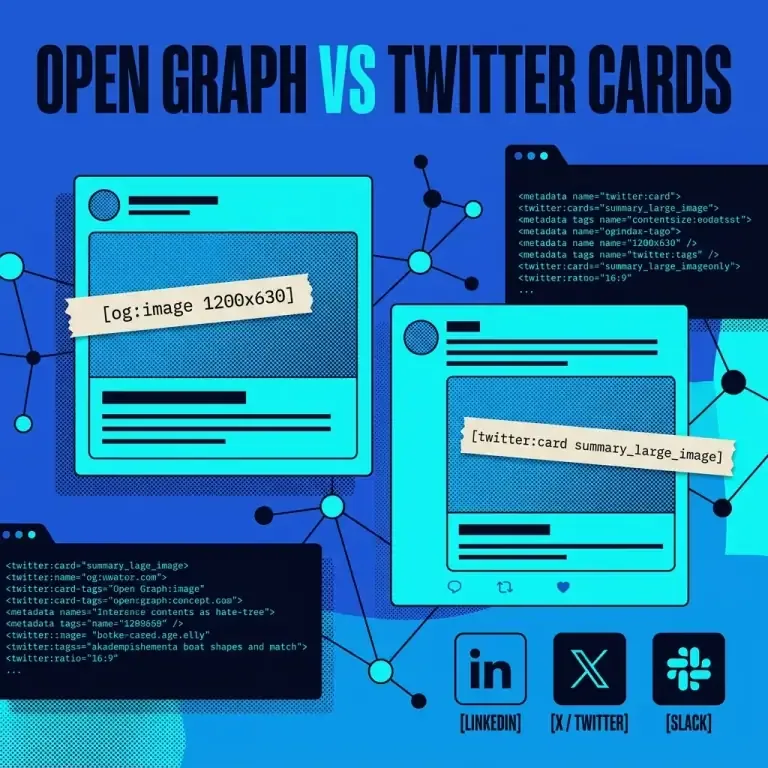
Creating compelling social sharing cards requires understanding two distinct metadata standards: the Open Graph Protocol (og:) and Twitter Cards (twitter:).
While both frameworks enable rich media sharing on platforms like LinkedIn, Facebook, Discord, Slack, and X, their syntax, fallbacks, and card types differ. Use our Meta Tag Analyzer to inspect both standards simultaneously.
Technical Comparison Matrix
| Property Category | Open Graph Protocol (og:) | Twitter Cards (twitter:) |
|---|---|---|
| Origin / Maintainer | Facebook / Open Source Consortium | Twitter / X Corporation |
| Attribute Name | property="..." | name="..." |
| Title Attribute | <meta property="og:title"> | <meta name="twitter:title"> |
| Description Attribute | <meta property="og:description"> | <meta name="twitter:description"> |
| Image Attribute | <meta property="og:image"> | <meta name="twitter:image"> |
| Card Layout Control | Determined by og:type | Explicit via twitter:card |
| Fallback Behavior | Universal social standard | Falls back to og: properties |
Code Example: Combined HTML Head Markup
To maximize social engagement across all networks, combine both specifications in your HTML head:
<!-- OpenGraph Standard (Facebook, LinkedIn, Discord, Slack) -->
<meta property="og:type" content="article" />
<meta property="og:site_name" content="Nadhebe" />
<meta property="og:title" content="Open Graph vs Twitter Card Meta Tags: Technical Comparison" />
<meta property="og:description" content="Compare Open Graph (og:) and Twitter Card (twitter:) metadata specifications." />
<meta property="og:url" content="https://nadhebe.com/comparisons/open-graph-vs-twitter-card-meta-tags/" />
<meta property="og:image" content="https://nadhebe.com/images/open-graph-vs-twitter-card-hero.webp" />

<!-- Twitter Card Extension (X / Twitter) -->
<meta name="twitter:card" content="summary_large_image" />
<meta name="twitter:title" content="Open Graph vs Twitter Card Meta Tags: Technical Comparison" />
<meta name="twitter:description" content="Compare Open Graph (og:) and Twitter Card (twitter:) metadata specifications." />
<meta name="twitter:image" content="https://nadhebe.com/images/open-graph-vs-twitter-card-hero.webp" />
Fallback Rules Diagram
graph TD
    A["User Shares Page on Twitter / X"] --> B{"Is twitter:image present?"}
    B -->|Yes| C["Render twitter:image"]
    B -->|No| D{"Is og:image present?"}
    D -->|Yes| E["Fall back & Render og:image"]
    D -->|No| F["Render Plain Text Link Without Card"]
How to Test Both Standards Real-Time
Instead of deploying code and waiting for external social scrapers, paste your markup into our client-side Meta Tag Analyzer. The analyzer generates live visual previews of both Google SERP and OpenGraph / Twitter social cards instantly.
Frequently Asked Questions
Why does Twitter use name="..." while OpenGraph uses property="..."?
OpenGraph is built on RDFa metadata standards which use the property attribute, whereas Twitter Cards follow standard HTML <meta name="..." content="..."> conventions.
Will using both standards inflate my HTML bundle size?
No. Including both og: and twitter: tags adds less than 500 bytes of plain text to your HTML head, while guaranteeing high CTR previews across all social feeds.
References
- Open Graph Protocol Standard: https://ogp.me
- X Cards Developer Reference: https://developer.twitter.com/en/docs/twitter-for-websites/cards/overview/markup