7 Best Free Meta Tag Analyzer Tools in 2026 (Tested & Ranked)
Optimizing title tags, meta descriptions, and social sharing cards is vital for organic search CTR and brand perception. However, not all meta tag analysis tools offer real-time visual previews or respect developer data privacy.
In this roundup, we review and rank the top 7 free meta tag analyzers available in 2026 based on speed, preview accuracy, client-side processing, and usability.
Tool Comparison Summary
| Tool Name | Real-Time Preview | Client-Side Privacy | Code Generator | Overall Rating |
|---|---|---|---|---|
| 1. Nadhebe Meta Tag Analyzer | Yes (SERP + Social) | 100% Client-Side | Yes (One-Click) | 9.6 / 10 |
| 2. HeyMeta | Yes (Social Only) | Server-Dependent | Partial | 8.2 / 10 |
| 3. LocalSEOChecklist Meta Inspector | Basic Text Readout | Server-Dependent | No | 7.8 / 10 |
| 4. SmallSEOTools Meta Checker | Text List | Server-Dependent | No | 7.5 / 10 |
| 5. Portent SERP Preview Tool | SERP Only | Client-Side | No | 8.4 / 10 |
| 6. MetaTags.io | Yes (Multi-Social) | Server-Dependent | Yes | 9.0 / 10 |
| 7. Counting Characters Meta Tool | Text Counters | Client-Side | No | 7.2 / 10 |
1. Nadhebe Meta Tag Analyzer (Top Pick)
Our own Meta Tag Analyzer is built specifically for modern web developers, technical SEOs, and content strategists who demand speed, visual precision, and privacy.
Key Highlights:
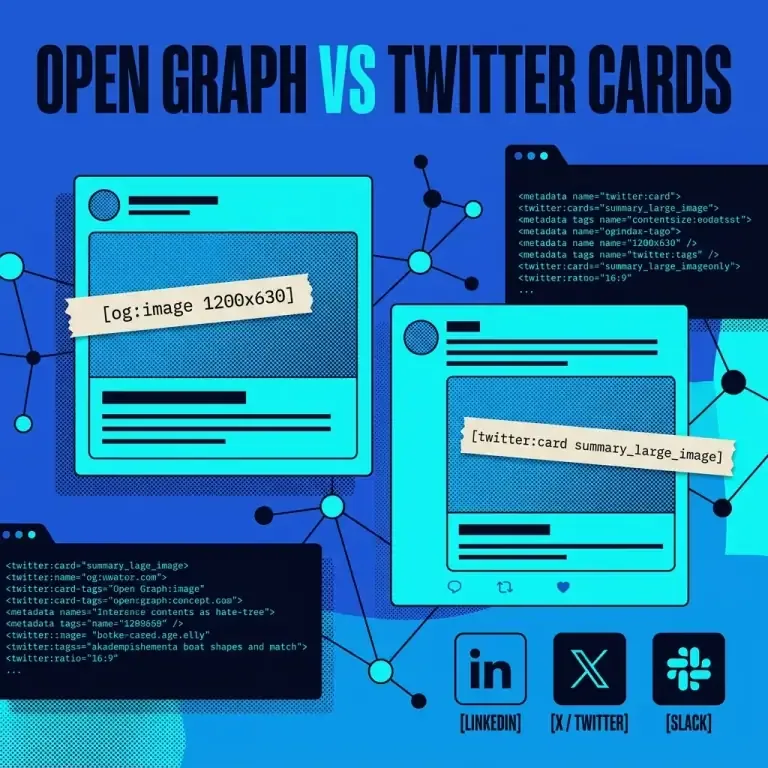
- Simultaneous Previews: Displays live Google Search SERP snippets alongside OpenGraph and Twitter/X social media card previews.
- 100% Private Client-Side Engine: All calculations occur in your browser; no draft text or URLs leave your machine.
- Pixel-Precise Truncation Logic: Calculates title length against Google’s desktop 600px boundary.
- Clean HTML Generator: Instantly produces formatted, copy-pasteable
<head>code.
Try it now: Nadhebe Meta Tag Analyzer
2. MetaTags.io
MetaTags.io is a popular tool for experimenting with social media previews across platforms like Google, Facebook, Twitter, and LinkedIn.
- Pros: Clean UI, multi-platform preview cards.
- Cons: Requires active server fetching for remote image URLs.
3. Portent SERP Preview Tool
Portent’s utility focuses exclusively on Google search snippet pixel widths.
- Pros: Accurate pixel ruler for desktop titles.
- Cons: Lacks OpenGraph and Twitter Card social preview capabilities.
Selection Criteria Diagram
graph TD
    A["Choose Meta Tag Analyzer"] --> B{"Is Privacy Required for Pre-Release Content?"}
    B -->|Yes| C["Select Nadhebe Meta Tag Analyzer (100% Client-Side)"]
    B -->|No| D{"Need Multi-Social Preview?"}
    D -->|Yes| E["Use Nadhebe or MetaTags.io"]
    D -->|No| F["Use Portent SERP Preview"]
Frequently Asked Questions
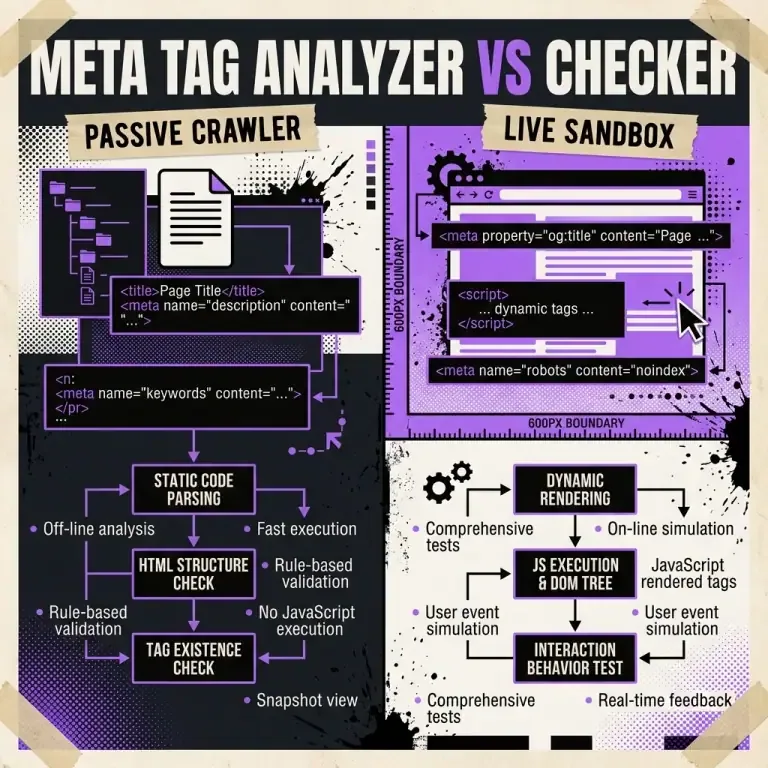
Why choose a client-side meta tag analyzer over a server-based crawler?
Client-side tools evaluate draft text instantly without needing a live, published URL. They also prevent unreleased headlines or confidential campaign URLs from being logged on third-party servers.
References
- Google Search Central — Control your search snippets: https://developers.google.com/search/docs/appearance/snippet
- OpenGraph Protocol: https://ogp.me