The transition from keyword-based search to semantic vector search is the foundational shift enabling modern AI applications, particularly Retrieval-Augmented Generation (RAG). To build these systems, you must deeply understand two concepts: Embeddings (how AI understands data) and Vector Databases (where AI stores that data).
[!NOTE] Prerequisites: This guide assumes basic familiarity with LLM APIs. If you have not generated an embedding before, review our Gemini API Guide to learn how to call embedding endpoints.
1. What are Embeddings & Vector Databases?
Embeddings
An embedding is an array of floating-point numbers (a vector) that represents the “meaning” of a piece of text, an image, or audio. Models like OpenAI’s text-embedding-3-large or Google’s text-embedding-004 translate human concepts into numerical coordinates in a high-dimensional space (often 768 to 3072 dimensions). Concepts that are semantically similar are mapped close to each other in this space.
Vector Databases
A Vector Database (like Milvus, Pinecone, or Qdrant) is a specialized storage system designed specifically to store millions of these high-dimensional arrays and query them at millisecond speeds using Approximate Nearest Neighbor (ANN) algorithms.
2. Why it matters
Understanding embeddings and vector DBs is non-negotiable for AI engineers:
- Fixing LLM Hallucinations: You cannot rely on an LLM’s internal memory for proprietary data. You must retrieve relevant facts and inject them into the prompt.
- Search Accuracy: Traditional databases (using BM25 or TF-IDF) match exact keywords (“bank”). Vector search matches intent (“financial institution”).
- Scale: While you can compare 1,000 vectors in memory using NumPy, comparing a user’s prompt against 10 million documents requires the specialized indexing of a Vector DB.
3. Architecture Diagram
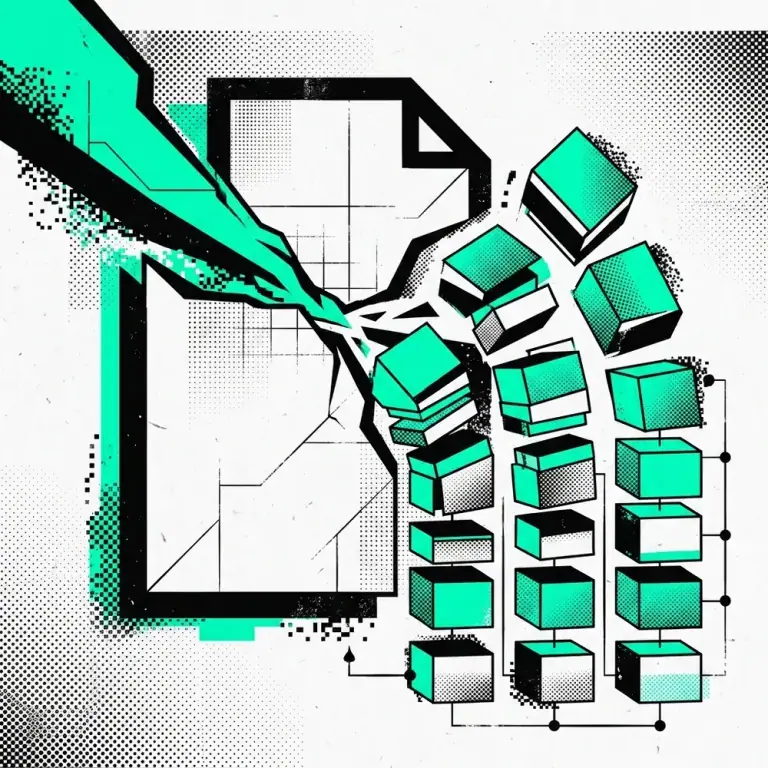
Below is the standard RAG indexing and retrieval pipeline:
 Architecture showing raw text being chunked, embedded, stored in a Vector DB, and later retrieved via Cosine Similarity search.
4. Installation & Setup
For this example, we will use ChromaDB, an excellent open-source vector database for local development.
# Install the Chroma client
pip install chromadb
To visualize the embeddings generated by your API, use our free Embedding Inspector developer tool.
5. Code Examples
Generating an Embedding and Storing it in Chroma
import chromadb
from sentence_transformers import SentenceTransformer

# 1. Initialize the embedding model (local, open-source)
model = SentenceTransformer('all-MiniLM-L6-v2')

# 2. Initialize ChromaDB in memory
client = chromadb.Client()
collection = client.create_collection("engineering_docs")

# 3. Our documents to store
documents = [
    "The new MCP server is deployed on AWS EC2.",
    "Claude Code hooks automate pre-commit checks.",
    "We use Pinecone for our production RAG pipeline."
]
ids = ["doc1", "doc2", "doc3"]

# 4. Generate embeddings
embeddings = model.encode(documents).tolist()

# 5. Store in the Vector DB
collection.add(
    embeddings=embeddings,
    documents=documents,
    ids=ids
)

# 6. Query the database (Semantic Search)
query = "Where is the Model Context Protocol hosted?"
query_embedding = model.encode([query]).tolist()

results = collection.query(
    query_embeddings=query_embedding,
    n_results=1
)

print(results['documents'])
# Output: [['The new MCP server is deployed on AWS EC2.']]
6. Best Practices
- Smart Chunking: Do not embed entire 100-page PDFs. Chunk your documents into 500-1000 token segments with a 100-token overlap to preserve context.
- Metadata Filtering: Always store metadata (author, date, category) alongside your vectors. Pre-filtering by metadata before running the vector search drastically improves speed and accuracy (Hybrid Search).
- Choose the Right Distance Metric: Most LLM embeddings (like OpenAI) are already normalized to a length of 1, meaning Cosine Similarity and Dot Product will yield the exact same ranking, but Dot Product is computationally faster.
7. Common Errors & Troubleshooting
Error: Dimension Mismatch
Cause: You are trying to query a vector database using an embedding generated by a different model than the one used to store the data. (e.g., storing with text-embedding-ada-002 (1536 dims) and querying with gemini-embedding (768 dims)).
Fix: Ensure the exact same embedding model and version are used for both indexing and querying.
Error: Poor Search Results
Cause: Your chunks are too small (losing context) or too large (diluting the core meaning). Fix: Experiment with semantic chunking rather than fixed-character chunking.
8. Benchmarks & Comparisons
How do you choose a Vector Database?
| Database | Best For | Architecture | Hosting |
|---|---|---|---|
| Pinecone | Enterprise scale, zero maintenance | Closed Source | Managed Cloud |
| Milvus | Massive scale, Kubernetes native | Open Source | Self-Hosted / Cloud |
| Qdrant | Rust performance, Hybrid search | Open Source | Self-Hosted / Cloud |
| pgvector | Existing PostgreSQL stacks | Open Source | Self-Hosted / Cloud |
| Chroma | Local prototyping, LangChain apps | Open Source | Embedded / Docker |
9. Related Developer Tools
To deeply understand vector mathematics without writing code, use our free client-side utilities:
- Cosine Similarity Calculator: Paste two arrays of numbers to calculate their exact Cosine Similarity and Euclidean Distance.
- Embedding Inspector: Paste a raw JSON embedding array to visualize its dimensions, sparsity, and mathematical magnitude.
10. FAQ
What is HNSW? Hierarchical Navigable Small World (HNSW) is the underlying graph-based algorithm used by almost all modern vector databases to perform fast, approximate searches instead of comparing your query against every single record (exact kNN).
Can I just use PostgreSQL?
Yes! The pgvector extension adds native vector storage and HNSW indexing to standard PostgreSQL, which is an excellent choice if you don’t want to manage a separate database system.