Direct Answer for Builders: A 16GB VRAM GPU (such as the NVIDIA RTX 4080, RTX 4070 Ti Super 16GB, or Apple Silicon M-series with 18GB/24GB unified memory) unlocks two powerful tiers: running 14B models at near-lossless Q8_0 / FP16 precision with massive 32K context windows, or stepping up into the 32-billion parameter class running at GGUF Q3_K_M for flagship-tier reasoning on your local machine.
Upgrading to 16GB of dedicated video memory eliminates the trade-offs of lower VRAM tiers. You no longer have to compromise between model intelligence and context length: you can load extensive legal documents, multi-file software repositories, and long agentic execution loops entirely into high-speed GPU memory.
Here is the definitive guide to getting maximum performance from 16GB VRAM.
1. The 16GB VRAM Threshold: 14B (High Precision) vs. 32B (Quantized)
With 16GB of VRAM, you encounter an architectural decision point:
[SCREENSHOT: Comparison chart illustrating Quality vs Speed trade-offs between 14B Q8_0 and 32B Q3_K_M on an RTX 4080]
Calculate your exact memory requirements across different batch sizes with our GPU VRAM Calculator.
Architecture Option 1: The 14B Flagship Precision Strategy
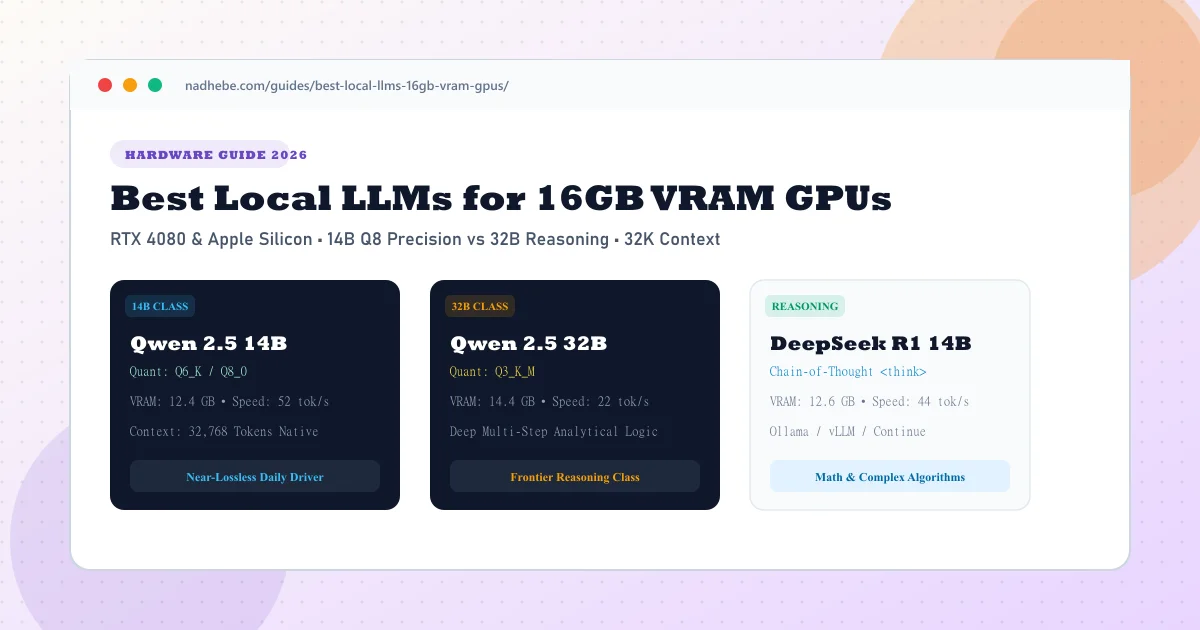
- Model: Qwen 2.5 14B at Q8_0 or Q6_K (~11.5GB – 15.0GB VRAM)
- Speed: Blazing fast (45–60 tokens/second on RTX 4080)
- Context Capacity: 16,384 to 32,768 tokens
- Best For: Interactive coding copilots, real-time agent loops, and high-throughput production assistants.
Architecture Option 2: The 32B Frontier Intelligence Strategy
- Model: Qwen 2.5 32B at Q3_K_M or IQ3_XS (~13.8GB – 14.6GB VRAM)
- Speed: Moderate (18–26 tokens/second)
- Context Capacity: 4,096 to 8,192 tokens
- Best For: Complex multi-step reasoning, mathematical problem solving, and nuanced creative writing.
2. Top Model Recommendations for 16GB GPUs
| Model Category | Top Recommendation | Quantization Level | VRAM Used | Speed (RTX 4080) | Key Strength |
|---|---|---|---|---|---|
| All-Round Chat & Work | Qwen 2.5 14B Instruct | Q6_K | 12.4 GB | 52 tok/s | Near-lossless output with 32K context headroom |
| Deep Logical Reasoning | DeepSeek-R1-Distill-Qwen-14B | Q6_K | 12.6 GB | 44 tok/s | Explicit chain-of-thought <think> logic |
| Maximum Coding Power | Qwen 2.5 Coder 14B | Q8_0 | 15.2 GB | 48 tok/s | Full 8-bit precision code synthesis |
| Extreme Reasoning (32B) | Qwen 2.5 32B Instruct | Q3_K_M | 14.4 GB | 22 tok/s | Frontier-level analytical capability |
| Enterprise Long-Context RAG | Mistral NeMo 12B | Q8_0 | 13.1 GB | 58 tok/s | 128K context window with native GQA |
If you are comparing this tier against smaller consumer cards, review our analysis of the best local LLMs for 8GB VRAM.
3. Unlocking Long Context Windows: 32K to 64K Tokens
One of the greatest advantages of 16GB VRAM is running 32,768 token context windows on 14B models. This allows you to paste entire software repositories or lengthy PDF documents directly into the prompt without truncating context.
To achieve this without triggering Out-of-Memory (OOM) crashes, activate Flash Attention and FP8 KV Caching in your inference engine:
# Example launching Ollama with 32K context on Qwen 2.5 14B Q5_K_M
OLLAMA_FLASH_ATTENTION=1 ollama run qwen2.5:14b-instruct-q5_K_M --ctx-size 32768
To understand the mathematical trade-offs between different quantization algorithms, consult our guide to Ollama quantization formats compared.
4. Setup and Run Commands for 16GB GPUs
# 1. Flagship 14B Chat Assistant (Q6_K)
ollama run qwen2.5:14b-instruct-q6_K

# 2. Maximum Precision Software Copilot (14B Q8)
ollama run qwen2.5-coder:14b-instruct-q8_0

# 3. Frontier 32B Reasoning Model (Q3_K_M)
ollama run qwen2.5:32b-instruct-q3_K_M

# 4. DeepSeek R1 14B Chain-of-Thought (Q6_K)
ollama run deepseek-r1:14b-q6_K
A 16GB VRAM graphics card transforms your desktop into an autonomous AI research lab, capable of running private, state-of-the-art models with zero latency and complete data confidentiality.