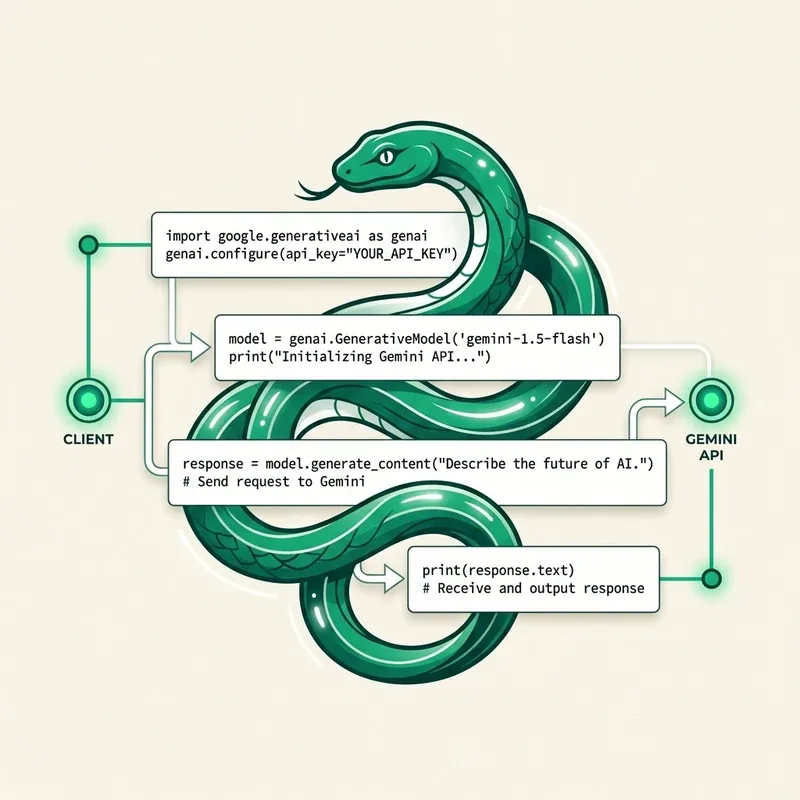
The official Python SDK google-genai provides a clean, asynchronous interface for interacting with Gemini models. This guide delivers production-ready Python code snippets for common backend development tasks.
Installation & Setup
Install the latest SDK via pip:
pip install google-genai pydanticSet your API key in environment variables:
export GEMINI_API_KEY="AIzaSyYourKeyHere"1. Basic Text Generation
import os
from google import genai

client = genai.Client(api_key=os.environ["GEMINI_API_KEY"])

response = client.models.generate_content(
    model="gemini-2.0-flash",
    contents="Explain how Redis pub/sub works in 3 bullet points."
)

print(response.text)
2. Enforcing Structured JSON Output with Pydantic
Force the Gemini API to return strictly validated JSON matching a Python Pydantic schema:
from pydantic import BaseModel, Field
from google import genai
from google.genai import types

class TechReview(BaseModel):
    tool_name: str
    rating: float = Field(description="Rating from 1.0 to 5.0")
    key_features: list[str]
    verdict: str

client = genai.Client()

response = client.models.generate_content(
    model="gemini-2.0-flash",
    contents="Review the Bun JavaScript runtime.",
    config=types.GenerateContentConfig(
        response_mime_type="application/json",
        response_schema=TechReview,
    ),
)

review = TechReview.model_validate_json(response.text)
print(f"Tool: {review.tool_name} | Rating: {review.rating}/5")
print(f"Verdict: {review.verdict}")
3. Streaming Responses in Real Time
response = client.models.generate_content_stream(
    model="gemini-2.0-flash",
    contents="Write a 200-word essay on the future of autonomous coding agents."
)

for chunk in response:
    print(chunk.text, end="", flush=True)
Summary Checklist
- Always use
pydanticschemas for API integrations to guarantee strict type safety. - Leverage
generate_content_streamfor interactive UI terminal apps.